$ cat gitlab-ci-cd/part-02.md
GitLab CI/CD Multi-Language Pipelines: Java, Node.js, Python, and PHP
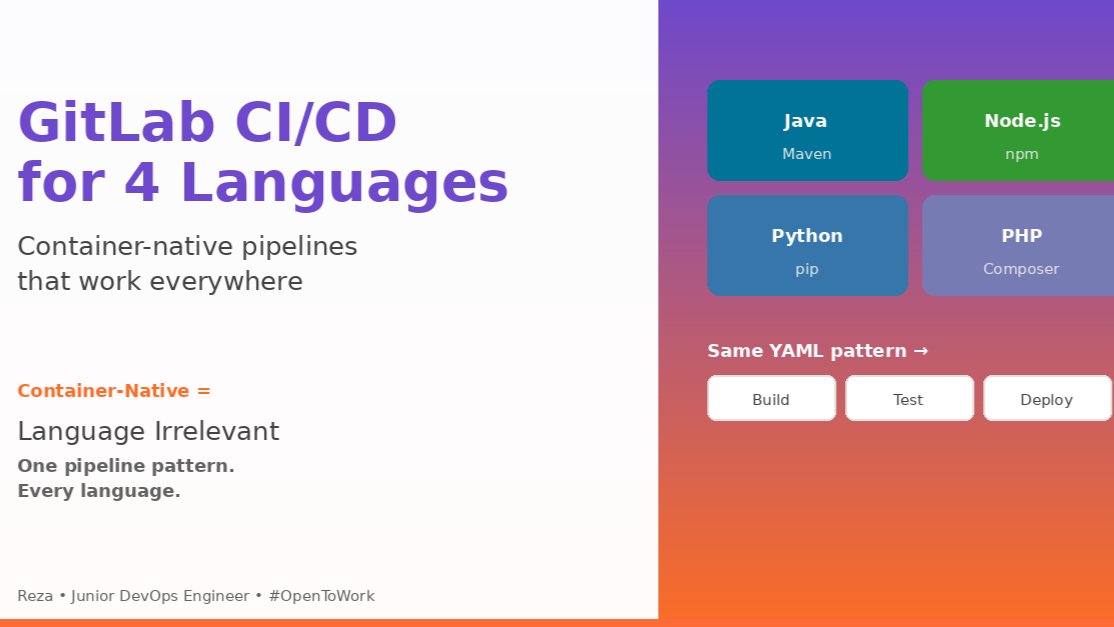
Introduction: Container-Native Means Language-Agnostic
After building my first GitLab pipeline for Java, I wondered if I’d need to learn completely different approaches for Node.js, Python, and PHP.
The answer surprised me: the pipeline structure is identical across all languages.
The container-native architecture means:
- No language-specific agent configuration
- No tool installation on runners
- Same YAML pattern for every language
- Only the Docker image changes
I built pipelines for 4 different languages to prove this. This article shows the technical details of how GitLab’s container model makes language differences irrelevant.
The Universal GitLab Pattern
Every language pipeline follows this structure:
stages:
  - build
  - test
  - package
  - deploy

build-job:
  stage: build
  image: <language-image>
  script:
    - <install-dependencies>

test-job:
  stage: test
  image: <language-image>
  script:
    - <run-tests>

package-job:
  stage: package
  image: docker:20.10.16
  services:
    - docker:20.10.16-dind
  script:
    - docker build -t registry.gitlab.com/$CI_PROJECT_PATH .
    - docker push registry.gitlab.com/$CI_PROJECT_PATH

deploy-job:
  stage: deploy
  image: amazon/aws-cli
  script:
    - kubectl apply -f deployment.yaml
What changes between languages: Only <language-image> and <install-dependencies>.
What stays identical: Stages, Docker packaging, Kubernetes deployment, security scanning.
Language 1: Java – Maven in Containers
Repository: GitLab/Java-project-2/Java-project-2.yml
stages:
- build
- test
- package
- docker-stage
- deploy

build-job:
  stage: build
  image: maven:latest
  script:
  - mvn clean package
  artifacts:
    name: war-project
    paths:
    - target/my-webapp.war

test-job:
  stage: test
  image: maven:latest
  script:
  - mvn test
  artifacts:
    reports:
      junit:
      - target/surefire-reports/TEST-*.xml

sast:
  stage: test
include:
- template: Jobs/SAST.gitlab-ci.yml

package-job:
  stage: package
  image: maven:latest
  script:
  - mvn deploy -s settings.xml

docker-job:
  stage: docker-stage
  image: docker:20.10.16
  services:
  - docker:20.10.16-dind
  before_script:
  - docker login -u $CI_REGISTRY_USER -p $CI_REGISTRY_PASSWORD registry.gitlab.com
  script:
  - docker build -t registry.gitlab.com/lowyiiii/java-project .
  - docker push registry.gitlab.com/lowyiiii/java-project

deploy-job:
  stage: deploy
  image:
    name: amazon/aws-cli
    entrypoint: [ "" ]
  before_script:
  - curl -O https://s3.us-west-2.amazonaws.com/amazon-eks/1.30.2/2024-07-12/bin/linux/amd64/kubectl
  - chmod +x ./kubectl
  - mkdir -p $HOME/bin && cp ./kubectl $HOME/bin/kubectl && export PATH=$HOME/bin:$PATH
  script:
  - aws configure set aws_access_key $AWS_ACCESS_KEY_ID
  - kubectl config use-context "$KUBE_CONTEXT"
  - kubectl apply -f Application.yaml
Deep Dive: Maven Container Execution
What happens when build-job runs:
Step 1: GitLab Runner pulls Maven image
docker pull maven:latest

# Downloads layers:
# maven:latest -> maven:3.9.6-eclipse-temurin-17
#   Layer 1: Base OS (Ubuntu 22.04) - 28MB
#   Layer 2: Java 17 - 195MB
#   Layer 3: Maven 3.9.6 - 8MB
#   Total: 231MB
Step 2: Runner creates container with mounted workspace
docker run \
  --name build-job-12345 \
  --volume /builds/lowyiiii/java-project:/builds/lowyiiii/java-project \
  --workdir /builds/lowyiiii/java-project \
  --env CI_PROJECT_DIR=/builds/lowyiiii/java-project \
  maven:latest \
  sh -c "mvn clean package"
Container filesystem:
Container:
/
├── usr/
│   └── share/
│       └── maven/          # Maven installation
│           ├── bin/mvn
│           └── lib/
├── opt/
│   └── java/               # Java 17 installation
│       └── openjdk/
└── builds/                 # Mounted from host
    └── lowyiiii/
        └── java-project/   # Your code here
            ├── pom.xml
            └── src/
Step 3: Maven executes inside container
# Inside container:
cd /builds/lowyiiii/java-project
mvn clean package

# Maven process:
1. Reads pom.xml
2. Downloads dependencies to /root/.m2/repository/
3. Compiles src/ to target/classes/
4. Packages to target/my-webapp.war
Step 4: Container stops, workspace persists
# Container exits
docker stop build-job-12345
docker rm build-job-12345

# But workspace remains on host:
/builds/lowyiiii/java-project/target/my-webapp.war ✅
Step 5: Artifact upload
# GitLab Runner (on host):
cd /builds/lowyiiii/java-project
zip artifacts.zip target/my-webapp.war
curl -X POST \
  -H "JOB-TOKEN: $CI_JOB_TOKEN" \
  -F "file=@artifacts.zip" \
  https://gitlab.com/api/v4/projects/123/jobs/12345/artifacts
Language 2: Node.js – Global Image Declaration
Repository: GitLab/nodejs-project/nodejs-project.yml
image: node

stages:
- build
- test
- sonarqube
- package
- deploy

build-job:
  stage: build
  script:
  - npm install

test-job:
  stage: test
  script:
  - npm install
  - npm test

sast:
  stage: test
include:
- template: Jobs/SAST.gitlab-ci.yml

sonarqube-check:
  stage: sonarqube
  image:
    name: sonarsource/sonar-scanner-cli:latest
    entrypoint: [ "" ]
  variables:
    SONAR_USER_HOME: "${CI_PROJECT_DIR}/.sonar"
    GIT_DEPTH: "0"
  cache:
    key: "${CI_JOB_NAME}"
    paths:
    - .sonar/cache
  script:
  - sonar-scanner
  allow_failure: true
  rules:
  - if: $CI_COMMIT_BRANCH == 'main'

package-docker:
  stage: package
  image: docker:20.10.16
  services:
  - docker:20.10.16-dind
  before_script:
  - echo "$DOCKER_HUB_PASSWORD" | docker login -u "$DOCKER_HUB_USERNAME" --password-stdin
  script:
  - docker build -t lowyiiii/nodejs-project:latest .
  - docker push lowyiiii/nodejs-project:latest

deploy-job:
  stage: deploy
  image:
    name: amazon/aws-cli
    entrypoint: [ "" ]
  before_script:
  - curl -O https://s3.us-west-2.amazonaws.com/amazon-eks/1.30.2/2024-07-12/bin/linux/amd64/kubectl
  - chmod +x ./kubectl
  - mkdir -p $HOME/bin && cp ./kubectl $HOME/bin/ && export PATH=$HOME/bin:$PATH
  script:
  - aws configure set aws_access_key_id $AWS_ACCESS_KEY_ID
  - kubectl apply -f Application.yaml
Deep Dive: Global Image vs Job-Specific Image
Global image declaration:
image: node

build-job:
  script:
  - npm install  # Runs in node:latest container
What GitLab does:
# GitLab expands this internally to:
build-job:
  image: node:latest  # Inherited from global
  script:
  - npm install
Override for specific jobs:
image: node  # Global default

build-job:
  script:
  - npm install  # Uses node:latest

sonarqube-check:
  image: sonarsource/sonar-scanner-cli:latest  # Overrides global
  script:
  - sonar-scanner  # Uses SonarQube image, NOT node
Container execution:
# build-job runs:
docker run --rm node:latest sh -c "npm install"

# sonarqube-check runs:
docker run --rm sonarsource/sonar-scanner-cli:latest sh -c "sonar-scanner"
Deep Dive: Conditional Execution with Rules
sonarqube-check:
  rules:
  - if: $CI_COMMIT_BRANCH == 'main'
How GitLab evaluates rules:
Scenario 1: Commit to main branch
Commit: abc123
Branch: main
Event: push

GitLab evaluation:
$CI_COMMIT_BRANCH = "main"
Condition: if: $CI_COMMIT_BRANCH == 'main'
Result: TRUE ✅
Action: Job runs
Scenario 2: Commit to feature branch
Commit: def456
Branch: feature/add-login
Event: push

GitLab evaluation:
$CI_COMMIT_BRANCH = "feature/add-login"
Condition: if: $CI_COMMIT_BRANCH == 'main'
Result: FALSE ❌
Action: Job skipped
Pipeline visualization:
Main branch pipeline:
build-job → test-job → sonarqube-check → package → deploy
   ✅          ✅            ✅            ✅        ✅

Feature branch pipeline:
build-job → test-job → package → deploy
   ✅          ✅         ✅        ✅
                ↑
         sonarqube-check skipped
Advanced rules combinations:
# Example 1: Run only on main OR tags
rules:
  - if: $CI_COMMIT_BRANCH == 'main'
  - if: $CI_COMMIT_TAG

# Example 2: Manual on main, auto on others
rules:
  - if: $CI_COMMIT_BRANCH == 'main'
    when: manual
  - when: on_success

# Example 3: Run on MR to main only
rules:
  - if: $CI_MERGE_REQUEST_TARGET_BRANCH_NAME == 'main'
Rules vs only/except (deprecated):
# Old syntax (deprecated):
sonarqube-check:
  only:
    - main
  except:
    - tags

# New syntax (recommended):
sonarqube-check:
  rules:
    - if: $CI_COMMIT_BRANCH == 'main' && $CI_COMMIT_TAG == null
Why rules are better:
only/except limitations:
- Can’t combine conditions with AND/OR
- Can’t set when: manual conditionally
- Can’t use complex expressions
rules advantages:
- Full boolean logic: &&, ||, ==, !=
- Conditional when: manual/on_success/delayed
- Access to all CI variables
- More readable for complex conditions
Language 3: Python – Shell Executor for Performance
Repository: GitLab/python-project/python-project.yml
stages:
- build
- test
- sonarqube
- package
- deploy

build-job:
  stage: build
  tags:
  - ec2
  - shell
  script:
  - pip install -r requirements.txt

sast:
  stage: test
include:
- template: Jobs/SAST.gitlab-ci.yml

sonarqube-check:
  stage: sonarqube
  image:
    name: sonarsource/sonar-scanner-cli:latest
    entrypoint: [ "" ]
  variables:
    SONAR_USER_HOME: "${CI_PROJECT_DIR}/.sonar"
    GIT_DEPTH: "0"
  cache:
    key: "${CI_JOB_NAME}"
    paths:
    - .sonar/cache
  script:
  - sonar-scanner
  allow_failure: true
  rules:
  - if: $CI_COMMIT_BRANCH == 'main'

package-job:
  stage: package
  tags:
  - ec2
  - shell
  script:
  - docker login -u $CI_REGISTRY_USER -p $CI_REGISTRY_PASSWORD registry.gitlab.com
  - docker build -t registry.gitlab.com/lowyiiii/python-project .
  - docker push registry.gitlab.com/lowyiiii/python-project

deploy-job:
  stage: deploy
  tags:
  - ec2
  - shell
  script:
  - aws configure set aws_access_key $AWS_ACCESS_KEY_ID
  - kubectl apply -f Application.yaml
Deep Dive: Shell Executor vs Docker Executor
Docker Executor (Java, Node.js):
build-job:
  image: python:3.11
  script:
  - pip install -r requirements.txt
What happens:
# GitLab Runner executes:
docker pull python:3.11
docker run \
  --rm \
  --volume /builds/project:/builds/project \
  python:3.11 \
  sh -c "pip install -r requirements.txt"

# Execution time breakdown:
# - Pull image: 5s (cached) or 30s (first time)
# - Start container: 2s
# - Run pip install: 15s
# - Stop container: 1s
# Total: 23s (cached) or 48s (first time)
Shell Executor (Python):
build-job:
  tags:
  - ec2
  - shell
  script:
  - pip install -r requirements.txt
What happens:
# GitLab Runner executes DIRECTLY on EC2:
cd /home/gitlab-runner/builds/project
pip install -r requirements.txt

# Execution time breakdown:
# - No image pull: 0s
# - No container start: 0s
# - Run pip install: 15s
# - No container cleanup: 0s
# Total: 15s
Performance comparison:
| Executor | First Run | Cached Run | Memory | Disk |
|---|---|---|---|---|
| Docker | 48s | 23s | 1.5GB | 900MB (image) |
| Shell | 15s | 15s | 500MB | 0MB (no image) |
When to use each:
Docker Executor – Use when:
- Need isolation between jobs
- Different Python versions per project
- Clean environment required
- Multiple projects on same runner
Shell Executor – Use when:
- Speed is critical
- Same Python version for all projects
- Runner dedicated to one project
- Tools pre-installed (Docker, kubectl, aws-cli)
Deep Dive: Mixed Executor Strategy
# Shell for speed
build-job:
  tags: [ec2, shell]
  script: pip install

# Docker for isolation
sonarqube-check:
  image: sonarsource/sonar-scanner-cli
  script: sonar-scanner

# Shell with Docker commands
package-job:
  tags: [ec2, shell]
  script: docker build
Why this works:
Shell executor can run Docker commands:
# On EC2 runner (shell executor):
which docker
# Output: /usr/bin/docker ✅

# GitLab job executes:
docker build -t myimage .
# Works! Uses host Docker daemon
Architecture:
EC2 Instance (GitLab Runner)
├── GitLab Runner process
├── Docker daemon (running)
├── Python 3.11 (installed)
├── kubectl (installed)
└── aws-cli (installed)

Job with shell executor:
→ Runs directly on EC2
→ Can use all installed tools
→ No container overhead

Job with Docker executor:
→ Runner starts new container
→ Isolated from host
→ Tools only from image
Performance benefit:
Build pipeline (shell executor):
build-job: 15s
package-job: 35s (docker build)
deploy-job: 8s
Total: 58s

Same pipeline (docker executor):
build-job: 23s (+ container overhead)
package-job: 45s (nested Docker complexity)
deploy-job: 15s (+ container overhead)
Total: 83s

Shell executor: 30% faster! ✅
Language 4: PHP – Composer and Lint Stage
Repository: GitLab/php-project/php-project.yml
stages:
- build
- lint
- test
- package
- deploy

build:
  stage: build
  image: composer:latest
  tags:
  - ec2
  - php
  script:
  - composer install

lint:
  stage: lint
  tags:
  - ec2
  - php
  script:
  - php -l public/index.php

sast:
  stage: test
include:
- template: Jobs/SAST.gitlab-ci.yml

package:
  stage: package
  image: docker:20.10.16
  services:
  - docker:20.10.16-dind
  before_script:
  - docker login -u $CI_REGISTRY_USER -p $CI_REGISTRY_PASSWORD registry.gitlab.com
  script:
  - docker build -t registry.gitlab.com/lowyiiii/php-test-project .
  - docker push registry.gitlab.com/lowyiiii/php-test-project

deploy:
  stage: deploy
  tags:
  - ec2
  - php
  image: amazon/aws-cli
  entrypoint: [ "" ]
  before_script:
  - curl -O https://s3.us-west-2.amazonaws.com/amazon-eks/1.30.2/2024-07-12/bin/linux/amd64/kubectl
  - chmod +x ./kubectl
  - mkdir -p $HOME/bin && cp ./kubectl $HOME/bin/kubectl && export PATH=$HOME/bin:$PATH
  script:
  - aws configure set aws_access_key $AWS_ACCESS_KEY_ID
  - kubectl apply -f Application.yaml
Deep Dive: PHP Syntax Linting
lint:
  script:
  - php -l public/index.php
What php -l does:
php -l public/index.php

# PHP process:
1. Reads file: public/index.php
2. Lexical analysis (tokenization)
3. Syntax parsing
4. Reports errors WITHOUT executing code
Example 1: Valid PHP
<?php
// public/index.php
function getUserName($id) {
    return "User " . $id;
}
echo getUserName(123);
?>
php -l public/index.php
# Output: No syntax errors detected in public/index.php
# Exit code: 0 ✅
Example 2: Missing semicolon
<?php
function getUserName($id) {
    return "User " . $id  // Missing semicolon!
}
?>
php -l public/index.php
# Output:
# Parse error: syntax error, unexpected '}', expecting ',' or ';' in public/index.php on line 4
# Exit code: 255 ❌
# Pipeline fails!
Example 3: Missing bracket
<?php
function getUserName($id) {
    if ($id > 0) {
        return "User " . $id;
    // Missing closing bracket
}
?>
php -l public/index.php
# Output:
# Parse error: syntax error, unexpected end of file in public/index.php on line 6
# Exit code: 255 ❌
Why this is PHP-specific:
JavaScript/Node.js:
# No separate lint command needed
node app.js
# Checks syntax automatically when executing
Python:
# No separate lint command needed
python app.py
# Checks syntax automatically when executing
PHP:
# php app.php would execute code!
# Need -l flag for syntax-only check
php -l app.php
# Only checks syntax, no execution
Lint stage benefit:
Without lint stage:
build → test → package → deploy → ERROR: Syntax error!
Time wasted: 5 minutes

With lint stage:
build → lint → ERROR: Syntax error!
Time wasted: 30 seconds

Saves 4.5 minutes per syntax error! ✅
Deep Dive: Composer Container Image
build:
  image: composer:latest
  script:
  - composer install
What’s in composer:latest image:
# Simplified composer Dockerfile
FROM php:8.2-cli-alpine

# Install Composer
COPY --from=composer:2 /usr/bin/composer /usr/bin/composer

# Install common PHP extensions
RUN docker-php-ext-install pdo_mysql mbstring

# Set working directory
WORKDIR /app

ENTRYPOINT ["composer"]
CMD ["--help"]
Image contents:
composer:latest
├── PHP 8.2 CLI
├── Composer 2.6
├── Extensions:
│   ├── pdo_mysql (database)
│   ├── mbstring (multibyte strings)
│   ├── zip (compression)
│   └── curl (HTTP requests)
└── Size: ~150MB (Alpine-based)
What composer install does inside container:
# Inside composer:latest container:
cd /builds/project
composer install

# Composer process:
1. Reads composer.json and composer.lock
2. Downloads packages from packagist.org
3. Extracts to vendor/ directory
4. Generates autoload files:
   - vendor/autoload.php
   - vendor/composer/autoload_*.php
5. Runs post-install scripts (if any)
composer.lock ensures consistency:
// composer.lock
{
  "packages": [
    {
      "name": "symfony/http-foundation",
      "version": "v6.0.8",
      "source": {
        "type": "git",
        "url": "https://github.com/symfony/http-foundation.git",
        "reference": "c9c86b7b9313ee7d8dd9d632a65bb97a440bc7d3"
      }
    }
  ]
}
Every build installs EXACT same version (commit hash c9c86b7…)!
Universal Patterns Across All Languages
Pattern 1: Built-in SAST
sast:
  stage: test
include:
- template: Jobs/SAST.gitlab-ci.yml
Works identically for all 4 languages:
| Language | SAST Analyzer | Detects |
|---|---|---|
| Java | SpotBugs | SQL injection, XXE, insecure crypto |
| Node.js | Semgrep | Prototype pollution, command injection |
| Python | Bandit | Pickle exploits, SQL injection, hardcoded secrets |
| PHP | phpcs-security-audit | SQL injection, XSS, file inclusion |
Same YAML, different analyzers automatically selected!
Pattern 2: Docker Build Stage
package:
  image: docker:20.10.16
  services:
  - docker:20.10.16-dind
  script:
  - docker build -t registry.gitlab.com/$CI_PROJECT_PATH .
  - docker push registry.gitlab.com/$CI_PROJECT_PATH
Identical for all languages. Only Dockerfile differs:
Java Dockerfile:
FROM tomcat:9-jdk11
COPY target/*.war /usr/local/tomcat/webapps/
EXPOSE 8080
Node.js Dockerfile:
FROM node:18-alpine
WORKDIR /app
COPY package*.json ./
RUN npm ci --only=production
COPY . .
EXPOSE 3000
CMD ["npm", "start"]
Python Dockerfile:
FROM python:3.11-slim
WORKDIR /app
COPY requirements.txt .
RUN pip install --no-cache-dir -r requirements.txt
COPY . .
EXPOSE 5000
CMD ["gunicorn", "app:app"]
PHP Dockerfile:
FROM php:8.2-apache
COPY . /var/www/html/
RUN docker-php-ext-install pdo_mysql
EXPOSE 80
Pattern 3: Kubernetes Deployment
deploy:
  image: amazon/aws-cli
  script:
  - aws configure set aws_access_key_id $AWS_ACCESS_KEY_ID
  - kubectl apply -f Application.yaml
Identical command for all languages!
Only Application.yaml differs:
# All languages use same structure
apiVersion: apps/v1
kind: Deployment
metadata:
  name: <app-name>
spec:
  replicas: 3
  template:
    spec:
      containers:
      - name: app
        image: registry.gitlab.com/<project-path>
        ports:
        - containerPort: <port>  # 8080/3000/5000/80
Performance Comparison: All 4 Languages
From my home lab testing (same EC2 t3.medium):
Build Time Breakdown
Key Lessons: Why Container-Native Works
1. Language Tools in Images, Not on Runners
Traditional CI (Jenkins):
Agent setup required:
- Install Java 11
- Install Maven 3.9
- Install Node.js 18
- Install Python 3.11
- Install PHP 8.2
- Install Composer
Maintenance required:
- Update Java
- Update Maven
- Update Node.js
- Update Python
- Update PHP
- Update Composer
GitLab CI:
Runner setup:
- Install GitLab Runner
- Install Docker
That’s it! ✅
Tools come from images:
- maven:3.9-jdk-11
- node:18
- python:3.11
- composer:latest
2. Same Pipeline Pattern Everywhere
# This pattern works for EVERY language:
build → test → sast → package → deploy

Only changes:
- image: <language>
- script: <package-manager> install
3. Built-in Features are Language-Agnostic
SAST, JUnit reports, artifacts, caching – all work the same way across all languages.
4. Mixed Executors Optimize Performance
Use Docker when: isolation needed
Use Shell when: speed needed
Mix both: best performance ✅