$ cat home-lab/part-13.md
Part 13 – Kubernetes Autoscaling in Action: A FastAPI Microservice That Scales Itself
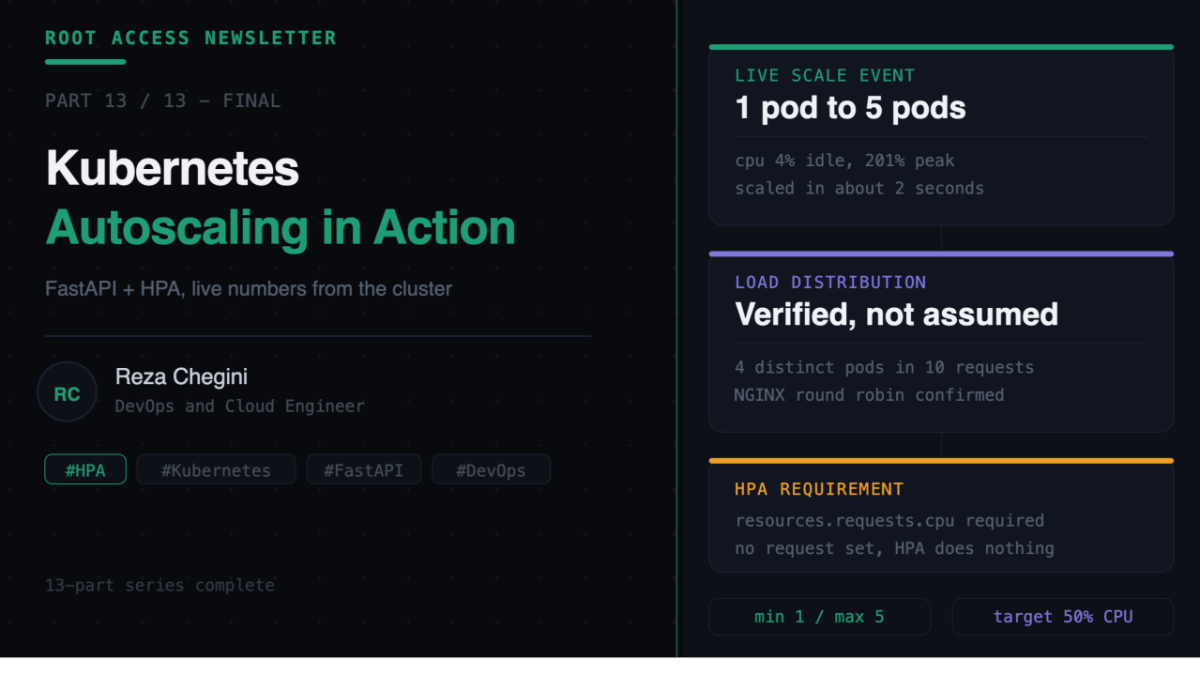
Overview
Part 12 deployed a real application with real complexity – Django, Postgres, a Jenkins pipeline, eleven bugs. This final article goes the other direction. A deliberately minimal FastAPI service, built to do exactly one thing well: prove that Kubernetes horizontal pod autoscaling actually works, with numbers captured live from my own cluster, not a screenshot from a cloud provider’s marketing page.
No database. No complex business logic. Two endpoints. The entire point is watching Kubernetes scale a service from one pod to five and back down again, automatically, based on real CPU pressure.
What I Built
A FastAPI microservice with:
- A health check endpoint that reports its own pod hostname
- A Prometheus-compatible metrics endpoint, auto-generated with zero manual metric code
- A HorizontalPodAutoscaler targeting 50% CPU utilization, scaling between 1 and 5 replicas
Live at fastapi.rezaops.com.
The Application
The entire app is short enough to show in full:
from fastapi import FastAPI
from prometheus_fastapi_instrumentator import Instrumentator
import os
import socket

app = FastAPI(title="FastAPI Metrics Service")

Instrumentator().instrument(app).expose(app)


@app.get("/health")
def health():
    return {
        "status": "healthy",
        "service": "fastapi-metrics",
        "version": os.environ.get("APP_VERSION", "1.0.0"),
        "hostname": socket.gethostname(),
    }
Two lines do most of the work. Instrumentator().instrument(app).expose(app) wraps every route automatically and exposes a /metrics endpoint in the exact format Prometheus expects – request counts, latencies, status codes, no manual instrumentation needed.
socket.gethostname() in the health response looks unremarkable until you scale to multiple replicas. Then it becomes the easiest possible way to prove that traffic is actually being distributed across different pods rather than hammering one.
The Part That Actually Matters – Resource Requests
resources:
  requests:
    cpu: "100m"
    memory: "64Mi"
  limits:
    cpu: "200m"
    memory: "128Mi"
This is not optional. HorizontalPodAutoscaler calculates CPU utilization as a percentage of the request value, not as an absolute number. Without resources.requests.cpu defined on the container, HPA has nothing to compare actual usage against and simply does not function. This is the single most common reason someone sets up HPA and watches it do nothing.
The HPA resource itself:
apiVersion: autoscaling/v2
kind: HorizontalPodAutoscaler
spec:
  scaleTargetRef:
    apiVersion: apps/v1
    kind: Deployment
    name: fastapi-metrics
  minReplicas: 1
  maxReplicas: 5
  metrics:
  - type: Resource
    resource:
      name: cpu
      target:
        type: Utilization
        averageUtilization: 50
Minimum 1 replica, maximum 5, target 50% CPU. K3s ships with metrics-server pre-installed, so this worked without any extra setup – worth checking before assuming you need to install something.
One deliberate choice in the Dockerfile: –workers 1. A single uvicorn worker per pod, instead of multiple. This keeps CPU load per replica predictable, so the relationship between traffic and pod count stays the dominant, observable effect rather than getting absorbed by in-process concurrency.
Watching It Actually Scale
This is the part worth slowing down for, because the numbers below are not illustrative – they are exactly what happened on my cluster, captured live.
Idle baseline:
kubectl get hpa -n fastapi-metrics
fastapi-metrics-hpa   cpu: 4%/50%   1   5   1
Load test:
ab -n 100000 -c 50 -H "Host: fastapi.rezaops.com" http://10.0.0.200/health100,000 requests, 50 concurrent connections, against a single pod.
What happened next, watched live in a second terminal:
cpu: 4%/50%     replicas: 1    idle
cpu: 5%/50%     replicas: 1
cpu: 50%/50%    replicas: 1    threshold reached
cpu: 201%/50%   replicas: 1    scale-up triggered
cpu: 201%/50%   replicas: 5    scaled to max, immediately
cpu: 137%/50%   replicas: 5
cpu: 96%/50%    replicas: 5
cpu: 5%/50%     replicas: 5    load test finished, CPU back to idle
Four new pods went from nothing to Running in roughly two seconds:
fastapi-metrics-7748cd54c4-hpt2t   Pending -> ContainerCreating -> Running
fastapi-metrics-7748cd54c4-w72kl   Pending -> ContainerCreating -> Running
fastapi-metrics-7748cd54c4-jbz6b   Pending -> ContainerCreating -> Running
fastapi-metrics-7748cd54c4-sjtnd   Pending -> ContainerCreating -> Running
Proving the Load Was Actually Distributed
Watching the replica count go up is one thing. Confirming traffic actually spreads across those replicas is another – this is where that socket.gethostname() line earns its place:
for i in {1..10}; do curl -s -H "Host: fastapi.rezaops.com" http://10.0.0.200/health | grep hostname; done
fastapi-metrics-7748cd54c4-hpt2t
fastapi-metrics-7748cd54c4-hpt2t
fastapi-metrics-7748cd54c4-hpt2t
fastapi-metrics-7748cd54c4-jbz6b
fastapi-metrics-7748cd54c4-jbz6b
fastapi-metrics-7748cd54c4-zpmj7
fastapi-metrics-7748cd54c4-zpmj7
fastapi-metrics-7748cd54c4-jbz6b
fastapi-metrics-7748cd54c4-sjtnd
fastapi-metrics-7748cd54c4-hpt2t
Four distinct pods answered across ten requests. NGINX Ingress is genuinely round-robin load-balancing across every live replica, not favoring one. This single command turns an abstract architectural claim into something anyone can verify themselves in ten seconds.
Scaling Back Down
After the load test ended, the replica count did not drop immediately. It held at 5 for several minutes before settling:
kubectl get hpa -n fastapi-metrics
fastapi-metrics-hpa   cpu: 5%/50%   1   5   1   18m
This delay is intentional – HPA’s stabilization window, by default around five minutes, prevents the autoscaler from flapping pods up and down if traffic is bursty rather than sustained. Scaling a pod up is cheap. Scaling it down too aggressively and then immediately needing it back is expensive and slow. The stabilization window exists specifically to avoid that.
The One Bug
Even a minimal project hit one issue, and it was not new – it was the same DNS problem from earlier in the series resurfacing.
apr_sockaddr_info_get() for fastapi.rezaops.com: Temporary failure in name resolutionthor’s system resolver was not consistently pointed at the home lab’s CoreDNS, even though querying CoreDNS directly worked fine. Rather than re-debugging the netplan configuration in the middle of a load test, I worked around it:
ab -n 100000 -c 50 -H "Host: fastapi.rezaops.com" http://10.0.0.200/healthNGINX Ingress routes based on the Host header in the request, not on how the client resolved the IP. Hitting the Ingress IP directly with an explicit Host header works identically to hitting the domain – the domain name only needs to be correct in the header, not actually resolved by DNS. A useful pattern any time DNS is the obstacle but the underlying routing logic is what you actually need to test.
Final Numbers
- Baseline CPU, idle, 1 replica: 4-5%
- CPU target threshold: 50%
- Peak CPU during load test: 201%
- Time to scale 1 to 5 pods: one HPA check cycle, about 15 seconds
- Time for all 5 pods to reach Running: about 2 seconds
- Stabilization window before scale-down: about 5 minutes
- Final state after load test: back to 1 replica
Why This Matters More Than It Looks
This is a small project on purpose. No database, no pipeline, no eleven bugs to wade through. But it proves something the Django project could not – that the infrastructure built across this entire series actually behaves the way production Kubernetes infrastructure is supposed to behave under load, not just at rest.
Anyone can configure an HPA resource and assume it works. Watching CPU climb from 4% to 201%, watching four pods appear in two seconds, watching traffic spread across all five, and watching it cleanly settle back down to one – that is the difference between knowing the YAML syntax and having actually seen the system do what it claims to do.
Closing the Series
This is the thirteenth and final article in the Root Access Newsletter home lab series. Thirteen parts, starting from two mini PCs on a desk and ending with a Kubernetes cluster running a monitoring stack, a CI/CD pipeline, GitOps, two deployed applications, and a self-scaling microservice with the receipts to prove it works.
Every error along the way was real. Every fix was the actual fix, not a cleaned-up version. If you are building something similar, I hope this saved you time somewhere. If you are a hiring manager or recruiter reading this, this is what I actually do when something breaks – I find the root cause, I document it, and I fix it properly instead of working around it forever.
Thank you for following along.