$ cat home-lab/part-05.md
Part 05 – Longhorn: Distributed Storage Across Two Nodes
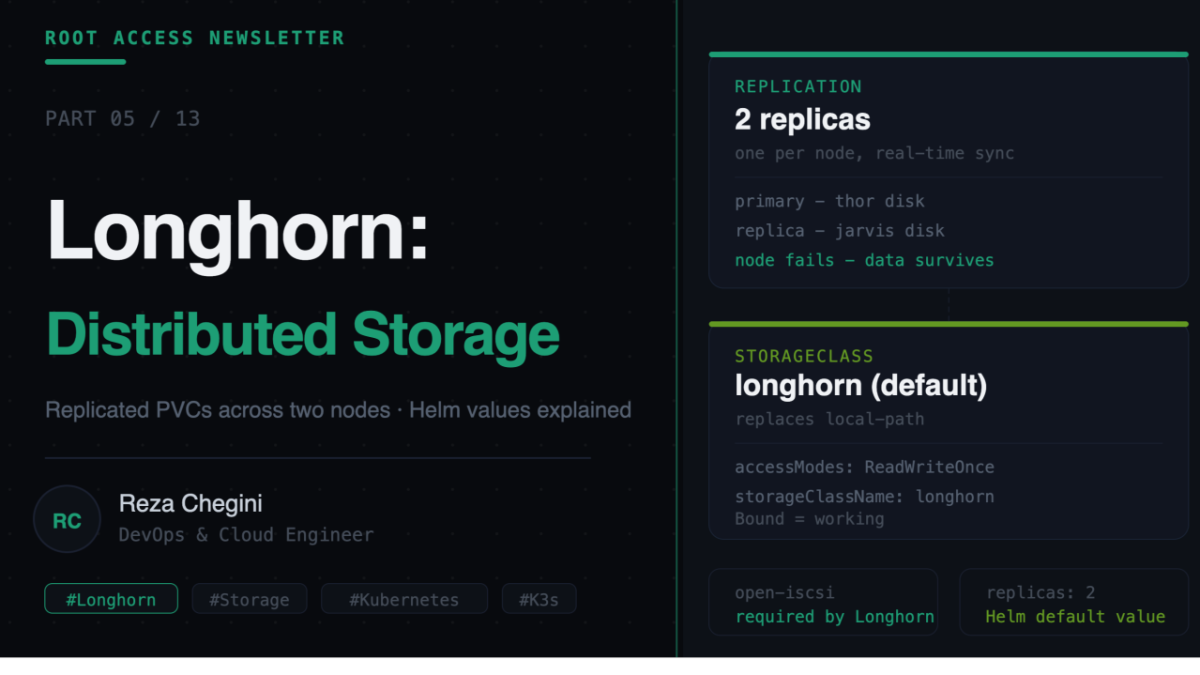
Overview
In Part 4 we got a fully operational two-node K3s cluster. But there is a critical problem. If you deploy a database or any stateful application, its data lives on one node’s local disk. If that node goes down, the data is unreachable or lost.
This is the storage problem on bare metal Kubernetes. Cloud providers solve it with managed storage (EBS, Persistent Disk) that is independent of any node. On bare metal we need to solve it ourselves.
Longhorn is the solution. It is a distributed block storage system that runs entirely inside Kubernetes and replicates your data volumes across multiple nodes automatically.
The Problem Longhorn Solves
Without Longhorn:
PostgreSQL pod scheduled on thor
  data stored at /var/lib/postgresql on thor's local disk

thor goes down
  PostgreSQL pod cannot start on jarvis
  data is locked on thor's disk
  application is down
With Longhorn:
PostgreSQL pod scheduled on thor
  data stored in a Longhorn volume
    primary replica on thor's disk
    second replica on jarvis's disk (automatic, real-time)

thor goes down
  Longhorn detects node failure
  rebuilds volume from jarvis replica
  PostgreSQL pod reschedules on jarvis
  application recovers
How Longhorn Works
Longhorn creates volumes, which are virtual block devices that pods mount like a regular disk. Under the hood each volume consists of replicas spread across nodes.
Longhorn Volume
  Replica 1, jarvis disk, /var/lib/longhorn/
  Replica 2, thor disk, /var/lib/longhorn/
  synced in real-time

mounted as block device
  PostgreSQL pod
  /var/lib/postgresql
Key components:
- Longhorn Manager – runs on every node, manages volume lifecycle
- Longhorn Engine – handles I/O for each volume
- Longhorn UI – web dashboard at longhorn.domain.com
- CSI Driver – integrates with Kubernetes storage API
Prerequisites – Why iSCSI Matters
In Part 1 we installed open-iscsi and enabled iscsid. Here is why:
- name: Enable iscsid for Longhorn
  systemd:
    name: iscsid
    enabled: yes
    state: started
Longhorn uses iSCSI (Internet Small Computer Systems Interface) to present volumes to pods as block devices. Without iscsid running, Longhorn volumes simply will not mount.
This is one of those things that fails silently. Longhorn installs fine, but pods needing persistent storage get stuck in ContainerCreating forever.
Role: longhorn
Full tasks/main.yml
- name: Add Longhorn Helm repo
  shell: |
    helm repo add longhorn https://charts.longhorn.io
    helm repo update
  environment:
    KUBECONFIG: /etc/rancher/k3s/k3s.yaml
Adds the official Longhorn Helm chart repository. helm repo update fetches the latest chart index so we always get the right version.
- name: Create longhorn-system namespace
  shell: |
    kubectl create namespace longhorn-system \
      --dry-run=client -o yaml | kubectl apply -f -
  environment:
    KUBECONFIG: /etc/rancher/k3s/k3s.yaml
The –dry-run=client -o yaml | kubectl apply -f – pattern is the idempotent way to create a namespace. Normally kubectl create namespace fails if the namespace already exists. The dry-run generates the YAML without applying it, then kubectl apply creates it if missing or does nothing if it exists.
- name: Install Longhorn
  shell: |
    helm upgrade --install longhorn longhorn/longhorn \
      --namespace longhorn-system \
      --set defaultSettings.defaultReplicaCount={{ longhorn_replica_count }} \
      --set defaultSettings.storageMinimalAvailablePercentage=10 \
      --set service.ui.type=LoadBalancer \
      --version {{ longhorn_version }}
  environment:
    KUBECONFIG: /etc/rancher/k3s/k3s.yaml
Helm values explained:
- defaultSettings.defaultReplicaCount, 2, every new volume gets 2 replicas, one on each node
- defaultSettings.storageMinimalAvailablePercentage, 10, do not use a disk if less than 10% free
- service.ui.type, LoadBalancer, Longhorn UI gets a real IP from MetalLB
- –version, 1.6.2, pin to a specific chart version to prevent unexpected upgrades
Why defaultReplicaCount=2? With 2 replicas across 2 nodes, every volume has a copy on jarvis and a copy on thor. Lose either node and your data survives. This is the minimum meaningful redundancy for a two-node cluster.
- name: Wait for Longhorn to be ready
  shell: |
    kubectl wait --namespace longhorn-system \
      --for=condition=ready pod \
      --selector=app=longhorn-manager \
      --timeout=120s
  environment:
    KUBECONFIG: /etc/rancher/k3s/k3s.yaml
  retries: 3
  delay: 20
Longhorn deploys many components. We wait for the manager pods specifically because everything else depends on them. retries: 3 with delay: 20 gives Longhorn up to 4 minutes to initialize.
- name: Set Longhorn as default StorageClass
  shell: |
    kubectl patch storageclass local-path \
      -p '{"metadata": {"annotations":{
        "storageclass.kubernetes.io/is-default-class":"false"
      }}}'
    kubectl patch storageclass longhorn \
      -p '{"metadata": {"annotations":{
        "storageclass.kubernetes.io/is-default-class":"true"
      }}}'
  environment:
    KUBECONFIG: /etc/rancher/k3s/k3s.yaml
  ignore_errors: yes
K3s ships with local-path as the default StorageClass. local-path stores data on the local node disk with no replication, exactly what we want to avoid.
This task removes the default annotation from local-path and adds it to longhorn. Now any PVC created without specifying a StorageClass automatically uses Longhorn with replication.
ignore_errors: yes means if local-path does not exist or is already non-default, the task fails harmlessly.
Understanding PersistentVolumes and PVCs
PersistentVolumeClaim (PVC)   what your app requests
        |
        | bound to
        v
PersistentVolume (PV)         the actual storage
        |
        | provisioned by
        v
StorageClass (Longhorn)       how storage is created
        |
        | creates
        v
Longhorn Volume               the replicated block device
StorageClass defines how storage is provisioned. When you set Longhorn as default, every PVC automatically gets a Longhorn volume.
PVC is what you put in your pod’s YAML:
apiVersion: v1
kind: PersistentVolumeClaim
metadata:
  name: postgres-data
  namespace: myapp
spec:
  accessModes:
    - ReadWriteOnce
  storageClassName: longhorn
  resources:
    requests:
      storage: 10Gi
Access Modes:
- ReadWriteOnce – one node, read/write – use for databases (PostgreSQL, MySQL)
- ReadOnlyMany – multiple nodes, read-only – use for shared config files
- ReadWriteMany – multiple nodes, read/write – use for shared uploads and media files
Mounting a PVC in a Pod
apiVersion: apps/v1
kind: Deployment
metadata:
  name: postgres
  namespace: myapp
spec:
  replicas: 1
  selector:
    matchLabels:
      app: postgres
  template:
    metadata:
      labels:
        app: postgres
    spec:
      nodeSelector:
        workload: apps
      containers:
      - name: postgres
        image: postgres:15
        env:
        - name: POSTGRES_PASSWORD
          value: "mypassword"
        volumeMounts:
        - name: postgres-storage
          mountPath: /var/lib/postgresql/data
      volumes:
      - name: postgres-storage
        persistentVolumeClaim:
          claimName: postgres-data
When this pod starts, Kubernetes sees it needs the postgres-data PVC, Longhorn mounts the volume on the node where the pod is scheduled, and the pod starts with /var/lib/postgresql/data backed by the replicated Longhorn volume.
Verifying Longhorn is Working
Check Longhorn pods:
kubectl get pods -n longhorn-systemAll pods should be Running.
Check StorageClass:
kubectl get storageclass
NAME                 PROVISIONER          DEFAULT
longhorn (default)   driver.longhorn.io   true
local-path           rancher.io/local-path
Test with a PVC:
cat <<EOF | kubectl apply -f -
apiVersion: v1
kind: PersistentVolumeClaim
metadata:
  name: test-pvc
spec:
  accessModes: [ReadWriteOnce]
  resources:
    requests:
      storage: 1Gi
EOF
kubectl get pvc test-pvc
NAME STATUS VOLUME CAPACITY STORAGECLASS
test-pvc Bound pvc-xxxxx 1Gi longhornBound means Longhorn successfully created a volume. Pending means something is wrong. Check kubectl describe pvc test-pvc for the error.
Open http://longhorn.domain.com in your browser to see the Longhorn UI showing all volumes, replica health per node, and disk usage.
Storage Layout
jarvis (1TB NVMe)
  Ubuntu OS,          8GB
  K3s and containers, 10GB
  Prometheus data,    20GB  (15 days retention)
  Loki logs,          10GB
  Jenkins artifacts,  20GB
  Longhorn replicas,  100GB (replica copies of all volumes)
  Free,               830GB
thor (512GB SSD)
Ubuntu OS, 8GB
K3s and containers, 10GB
Dev environment, 20GB (code, node_modules, venvs)
Longhorn primary, 50GB (primary copies of app volumes)
Free, 424GBWhat’s Next
In Part 6 I will cover the full monitoring stack, Prometheus, Grafana, Loki, Promtail, and Jaeger. I will explain the Helm values for each, what gets scraped automatically, and how to read the dashboards once everything is running.