$ cat home-lab/part-02.md
Part 02-Ansible Project Structure
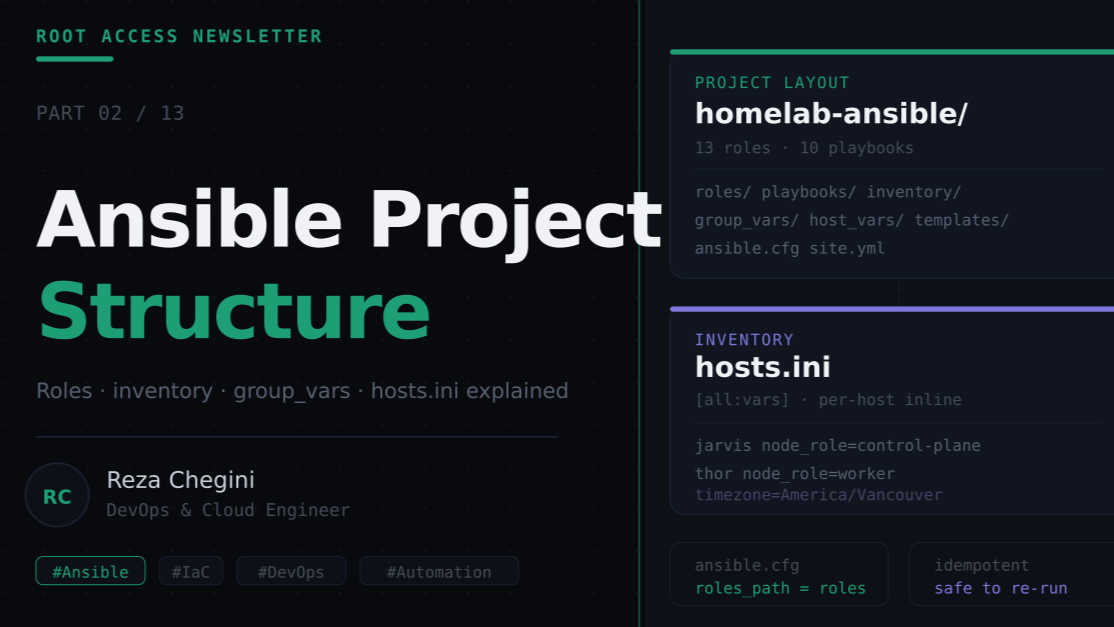
Overview
In Part 1, I walked through every OS configuration step needed before installing Kubernetes. In this article I’ll explain how I organized all of that into a clean, reusable Ansible project, and why the structure matters.
A lot of engineers use Ansible as a collection of ad-hoc scripts. That works for small tasks, but it doesn’t scale. When you have two nodes, 10 different tools to install, and 50+ tasks per role, you need a structure that is:
- Readable: anyone can understand what each file does
- Idempotent: safe to run multiple times without breaking things
- Modular: you can run one phase without running everything
- Maintainable: adding a new tool means adding one role, not editing a 500-line playbook
This is the structure I landed on after several iterations.
Project Layout
homelab-ansible/
│
├── ansible.cfg                  ← Ansible configuration
├── site.yml                     ← Master playbook (runs everything)
│
├── inventory/
│   └── hosts.ini                ← Node IPs, SSH config, all variables
│
├── playbooks/                   ← Individual phase playbooks
│   ├── 01-common.yml
│   ├── 02-k3s.yml
│   ├── 03-longhorn.yml
│   ├── 04-monitoring.yml
│   ├── 05-cicd.yml
│   ├── 06-gitops.yml
│   ├── 07-dns-tls.yml
│   ├── 08-pihole.yml            ← (CoreDNS)
│   ├── 09-homepage.yml
│   └── 10-registry.yml
│
├── roles/                       ← One folder per tool/concern
│   ├── common/
│   │   ├── tasks/
│   │   │   └── main.yml
│   │   ├── handlers/
│   │   │   └── main.yml
│   │   └── files/
│   ├── networking/
│   │   └── tasks/main.yml
│   ├── k3s_server/
│   │   └── tasks/main.yml
│   ├── k3s_agent/
│   │   └── tasks/main.yml
│   ├── longhorn/
│   │   └── tasks/main.yml
│   ├── monitoring/
│   │   └── tasks/main.yml
│   ├── cicd/
│   │   ├── tasks/main.yml
│   │   └── handlers/main.yml
│   ├── gitops/
│   │   └── tasks/main.yml
│   ├── dns_tls/
│   │   └── tasks/main.yml
│   ├── pihole/                  ← (CoreDNS role)
│   │   └── tasks/main.yml
│   ├── homepage/
│   │   ├── tasks/main.yml
│   │   └── files/
│   │       └── index.html
│   └── registry_dns/
│       └── tasks/main.yml
│
└── templates/
    └── new-app-ingress-template.yml
ansible.cfg: The Configuration File
[defaults]
inventory         = inventory/hosts.ini
roles_path        = roles
remote_user       = reza
host_key_checking = False

[ssh_connection]
pipelining = True
Line by line:
inventory = inventory/hosts.ini Tells Ansible where to find the inventory file. Without this, you’d have to pass -i inventory/hosts.ini every time you run a playbook.
roles_path = roles This is the most important line. It tells Ansible to look for roles in the roles/ directory relative to the project root. Without this, Ansible looks for roles relative to the playbook file, so playbooks/01-common.yml would look for roles in playbooks/roles/ which doesn’t exist. This caused our first error:
[ERROR]: the role 'common' was not found in .../playbooks/rolesremote_user = reza The SSH user Ansible connects as. Without this you’d need ansible_user=reza in every inventory entry.
host_key_checking = False Disables SSH host key verification. Normally SSH asks “are you sure you want to connect to this new host?” and waits for input. In automation, there’s nobody to type yes, this skips that check.
pipelining = True An SSH optimization. By default Ansible uploads a temporary Python script to the remote machine, runs it, then deletes it, for every single task. With pipelining enabled, Ansible sends the script directly over the SSH connection without writing to disk. This makes playbooks run significantly faster (2–3x on slow connections).
inventory/hosts.ini: The Inventory File
The inventory file is where I define every node and every variable. This is the most important file in the project.
[control_plane]
jarvis ansible_host=10.0.0.148 ansible_user=reza node_ip=10.0.0.148 node_name=jarvis node_role=control-plane workload_label=monitoring

[workers]
thor ansible_host=10.0.0.149 ansible_user=reza node_ip=10.0.0.149 node_name=thor node_role=worker workload_label=apps

[all:vars]
ansible_python_interpreter=/usr/bin/python3
ansible_ssh_private_key_file=~/.ssh/id_ed25519
timezone=America/Vancouver
lab_user=reza
lab_network=10.0.0.0/24
k3s_server_ip=10.0.0.148
k3s_server_port=6443
metallb_ip_range=10.0.0.200-10.0.0.220
longhorn_replica_count=2
longhorn_version=1.6.2
grafana_admin_password=homelab123
prometheus_retention=15d
jenkins_admin_password=homelab123
registry_ip=10.0.0.206
registry_port=5000
base_domain=rezaops.com
cp_ip=10.0.0.148
worker_ip=10.0.0.149
ingress_ip=10.0.0.200
aws_region=us-east-1
aws_access_key_id=REPLACE_WITH_YOUR_KEY
aws_secret_access_key=REPLACE_WITH_YOUR_SECRET
pihole_ip=10.0.0.209
pihole_password=homelab123
Breaking this down:
Host Groups
[control_plane]
jarvis ...

[workers]
thor ...
Ansible uses groups to target specific machines. When a playbook says hosts: control_plane, it only runs on jarvis. When it says hosts: all, it runs on both.
This matters for roles like k3s_server which only makes sense on the control plane, vs common which runs everywhere.
Per-host Variables (inline)
jarvis ansible_host=10.0.0.148 node_name=jarvis node_role=control-plane workload_label=monitoring
thor   ansible_host=10.0.0.149 node_name=thor   node_role=worker        workload_label=apps
Each host has variables defined inline on the same line. These are host-specific:
- ansible_host: the actual IP Ansible SSH’s into
- node_name: used to set the hostname and K3s node name
- node_role: used in when: conditions to run tasks only on the right node
- workload_label: applied as a Kubernetes label for pod scheduling
Example of node_role in use:
# In common/tasks/main.yml
- name: Install dev toolchains on worker node
  block:
    - name: Install Python
      apt:
        name: python3
        state: present
    # ... more tasks
  when: node_role == "worker"   # ← only runs on thor
This single condition means the same role can run on both nodes but behave differently based on the node’s role. No separate playbooks needed.
[all:vars]: Shared Variables
[all:vars]
timezone=America/Vancouver
k3s_server_ip=10.0.0.148
metallb_ip_range=10.0.0.200-10.0.0.220
...
Variables under [all:vars] apply to every host. This is where I put:
- Configuration shared across both nodes (timezone, lab_user)
- K3s cluster settings (server IP, port)
- Tool-specific settings (Grafana password, Prometheus retention)
- Domain and DNS settings
Lesson learned: I originally put variables in group_vars/all.yml (the standard Ansible approach). This works fine when you run playbooks from the project root. But when you run from a subdirectory (playbooks/), Ansible can’t find group_vars/. Moving everything into [all:vars] in the inventory file solves this permanently, the inventory file is always explicitly specified with -i.
site.yml :The Master Playbook
---
# Run everything: ansible-playbook -i inventory/hosts.ini site.yml

- name: Common setup on all nodes
  hosts: all
  become: yes
  roles:
    - common
    - networking

- name: K3s control plane
  hosts: control_plane
  become: yes
  roles:
    - k3s_server

- name: K3s worker
  hosts: workers
  become: yes
  roles:
    - k3s_agent

- name: Longhorn storage
  hosts: control_plane
  become: yes
  roles:
    - longhorn

- name: Monitoring stack
  hosts: control_plane
  become: yes
  roles:
    - monitoring

- name: CI/CD stack
  hosts: control_plane
  become: yes
  roles:
    - cicd

- name: GitOps stack
  hosts: control_plane
  become: yes
  roles:
    - gitops

- name: DNS + Ingress
  hosts: control_plane
  become: yes
  roles:
    - dns_tls

- name: CoreDNS external resolver
  hosts: control_plane
  become: yes
  roles:
    - pihole

- name: Homepage
  hosts: control_plane
  become: yes
  roles:
    - homepage

- name: Registry DNS + Docker config
  hosts: all
  become: yes
  roles:
    - registry_dns
Key design decisions:
Why separate plays for control plane vs workers? K3s must be installed on the server (jarvis) before the agent (thor) can join. Running them in separate plays ensures the ordering is always correct, k3s_server play completes fully before k3s_agent starts.
Why does longhorn, monitoring, cicd, gitops target control_plane? These roles use kubectl and helm to deploy workloads. kubectl is only installed on the control plane node (jarvis has the kubeconfig). The actual pods may run on tho, but the commands that create them run from jarvis.
Why does registry_dns target all? The registry DNS role configures Docker daemon trust settings on both nodes. Both jarvis and thor need to be able to pull images from the local registry.
Individual Playbooks: Running One Phase at a Time
# playbooks/01-common.yml
- name: Common OS setup
  hosts: all
  become: yes
  roles:
    - common
    - networking
Every phase has its own playbook. This is critical for debugging.
When you run the full site.yml and something fails in phase 5 (monitoring), you fix the issue and rerun just:
ansible-playbook -i inventory/hosts.ini playbooks/04-monitoring.ymlYou don’t have to rerun the previous 4 phases. Ansible is idempotent, tasks that already completed show ok and are skipped. Only tasks that haven’t run yet (or failed) actually execute.
Running order:
ansible-playbook -i inventory/hosts.ini playbooks/01-common.yml
ansible-playbook -i inventory/hosts.ini playbooks/02-k3s.yml
ansible-playbook -i inventory/hosts.ini playbooks/03-longhorn.yml
ansible-playbook -i inventory/hosts.ini playbooks/04-monitoring.yml
ansible-playbook -i inventory/hosts.ini playbooks/05-cicd.yml
ansible-playbook -i inventory/hosts.ini playbooks/06-gitops.yml
ansible-playbook -i inventory/hosts.ini playbooks/07-dns-tls.yml
ansible-playbook -i inventory/hosts.ini playbooks/08-pihole.yml
ansible-playbook -i inventory/hosts.ini playbooks/09-homepage.yml
ansible-playbook -i inventory/hosts.ini playbooks/10-registry.yml
Role Structure, Inside a Role
Every role follows the same pattern:
roles/common/
├── tasks/
│   └── main.yml     ← the actual tasks
├── handlers/
│   └── main.yml     ← tasks triggered by notify:
└── files/
    └── ...          ← static files to copy to remote
tasks/main.yml is where the work happens. Ansible automatically runs tasks/main.yml when a role is included.
handlers/main.yml contains tasks that only run when triggered by a notify: directive. The classic example:
# In tasks/main.yml
- name: Write Docker daemon config
  copy:
    dest: /etc/docker/daemon.json
    content: |
      {"insecure-registries": ["registry.rezaops.com"]}
  notify: Restart Docker     # ← triggers the handler

# In handlers/main.yml
- name: Restart Docker
  systemd:
    name: docker
    state: restarted
The handler only runs if the copy task actually changed something. If Docker’s config already has the right content, the handler doesn’t run, no unnecessary restarts.
files/ holds static files that get copied to remote machines with the copy module. The homepage index.html lives here.
Ansible Key Concepts Recap
| Concept | What it is | Example |
|---|---|---|
| Inventory | List of machines + variables | hosts.ini |
| Play | A set of tasks targeting specific hosts | hosts: control_plane |
| Role | A reusable collection of tasks | common, monitoring |
| Task | A single action | Install a package, copy a file |
| Module | The tool a task uses | apt, copy, shell, systemd |
| Variable | A named value | {{ node_name }}, {{ base_domain }} |
| Handler | A task triggered by notify: | Restart a service after config change |
| Idempotent | Safe to run multiple times | Most built-in modules are idempotent |
| become: yes | Use sudo | Required for system-level changes |
| when: | Conditional execution | when: node_role == “worker” |
Useful Ansible Commands
# Test connectivity to all nodes
ansible all -i inventory/hosts.ini -m ping

# Dry run — shows what would change without doing it
ansible-playbook -i inventory/hosts.ini site.yml --check

# Verbose output for debugging
ansible-playbook -i inventory/hosts.ini playbooks/01-common.yml -vvv

# Run from a specific task (after a failure)
ansible-playbook -i inventory/hosts.ini playbooks/02-k3s.yml \
  --start-at-task "Install K3s server"

# Run only tasks with a specific tag
ansible-playbook -i inventory/hosts.ini site.yml --tags monitoring

# List all tasks without running them
ansible-playbook -i inventory/hosts.ini site.yml --list-tasks
What’s Next
In Part 3 I’ll do a deep dive into the Ansible roles themselves , walking through the common, networking, and k3s_server role YAML files line by line, explaining what each task does and why it’s needed.
Deep Dive, group_vars, host_vars, and Why We Moved Everything to hosts.ini
This section explains something that tripped me up badly during this build, and understanding it will save you hours of debugging.
The Standard Ansible Way
Ansible has a clean, organized way to manage variables:
inventory/
  hosts.ini          ← just the hostnames and IPs
group_vars/
  all.yml            ← variables for ALL hosts
  control_plane.yml  ← variables only for [control_plane] group
host_vars/
  jarvis.yml         ← variables only for jarvis
  thor.yml           ← variables only for thor
group_vars/all.yml: shared variables every host gets:
# group_vars/all.yml
timezone: America/Vancouver
lab_user: reza
k3s_server_ip: "10.0.0.148"
metallb_ip_range: "10.0.0.200-10.0.0.220"
grafana_admin_password: "homelab123"
host_vars/jarvis.yml: variables specific to jarvis only:
# host_vars/jarvis.yml
node_ip: "10.0.0.148"
node_name: "jarvis"
node_role: "control-plane"
workload_label: "monitoring"
host_vars/thor.yml: variables specific to thor only:
# host_vars/thor.yml
node_ip: "10.0.0.149"
node_name: "thor"
node_role: "worker"
workload_label: "apps"
This structure is clean, readable, and is the recommended approach in the official Ansible documentation. But it stopped working for me, and here’s exactly why.
Why group_vars and host_vars Failed
When I ran:
ansible-playbook -i inventory/hosts.ini playbooks/01-common.ymlI got this error:
[ERROR]: 'node_name' is undefined
[ERROR]: 'timezone' is undefined
Both variables were clearly defined in host_vars/jarvis.yml and group_vars/all.yml. So why were they undefined?
The root cause: Ansible resolves group_vars/ and host_vars/ relative to the inventory file location, not relative to where you run the command from.
My inventory was at inventory/hosts.ini. So Ansible looked for:
inventory/group_vars/all.yml       ← doesn't exist
inventory/host_vars/jarvis.yml     ← doesn't exist
My actual files were at:
group_vars/all.yml                 ← exists but not found
host_vars/jarvis.yml               ← exists but not found
Ansible never found them. No error about missing files, variables were just silently undefined.
There are two fixes for this:
Fix 1: Move group_vars and host_vars next to the inventory file:
inventory/
  hosts.ini
  group_vars/
    all.yml              ← now found
  host_vars/
    jarvis.yml           ← now found
    thor.yml             ← now found
This works and keeps the clean structure. If you prefer this layout, use it.
Fix 2: Move everything into hosts.ini directly (what I chose):
[control_plane]
jarvis ansible_host=10.0.0.148 ansible_user=reza node_ip=10.0.0.148 node_name=jarvis node_role=control-plane workload_label=monitoring

[workers]
thor ansible_host=10.0.0.149 ansible_user=reza node_ip=10.0.0.149 node_name=thor node_role=worker workload_label=apps

[all:vars]
ansible_python_interpreter=/usr/bin/python3
ansible_ssh_private_key_file=~/.ssh/id_ed25519
timezone=America/Vancouver
lab_user=reza
lab_network=10.0.0.0/24
k3s_server_ip=10.0.0.148
k3s_server_port=6443
metallb_ip_range=10.0.0.200-10.0.0.220
longhorn_replica_count=2
longhorn_version=1.6.2
grafana_admin_password=homelab123
prometheus_retention=15d
jenkins_admin_password=homelab123
registry_ip=10.0.0.206
registry_port=5000
base_domain=rezaops.com
cp_ip=10.0.0.148
worker_ip=10.0.0.149
ingress_ip=10.0.0.200
aws_region=us-east-1
aws_access_key_id=REPLACE_WITH_YOUR_KEY
aws_secret_access_key=REPLACE_WITH_YOUR_SECRET
I chose this because it puts everything in one file, no path resolution issues possible. The inventory file is always explicitly referenced with -i inventory/hosts.ini so Ansible always finds it.
The .ini Format Limitation: Lists and Dicts
There’s one more catch with hosts.ini: it only supports strings. You can’t define lists or dictionaries.
For example, my internal_dns_records variable is a list of objects. In YAML format it looks like this:
internal_dns_records: [{"name":"grafana","ip":"10.0.0.200"},{"name":"jenkins","ip":"10.0.0.200"}]When you try to loop over it:
- name: Add DNS records
  shell: "nsupdate -k {{ dns_key }} <<EOF\nserver {{ dns_server }}\nupdate add {{ item.name }}.{{ base_domain }} 3600 A {{ item.ip }}\nsend\nEOF"
  loop: "{{ internal_dns_records }}"
Ansible fails with:
The loop value must resolve to a ‘list’, not ‘str’.
Even though the value looks like a JSON list, .ini format treats everything as a string. Ansible doesn’t automatically parse it into a list.
Solutions:
Option A, Use YAML inventory instead of .ini:
# inventory.yml
all:
  hosts:
    jarvis:
      ansible_host: 10.0.0.148
      node_name: jarvis
      node_role: control-plane
  vars:
    internal_dns_records:
      - name: grafana
        ip: 10.0.0.200
      - name: jenkins
        ip: 10.0.0.200
YAML inventory supports native lists and dicts. But it’s more verbose than .ini format for simple setups.
Option B: Avoid loops, use direct values:
In my Route 53 automation I wrote individual commands instead of loops:
aws route53 change-resource-record-sets --hosted-zone-id $ZONE_ID \
  --change-batch '{
    "Changes": [{
      "Action": "UPSERT",
      "ResourceRecordSet": {
        "Name": "grafana.rezaops.com",
        "Type": "A",
        "TTL": 300,
        "ResourceRecords": [{"Value": "10.0.0.200"}]
      }
    }]
  }'
For a home lab with a handful of services, this is perfectly fine. You only need loops when you’re managing dozens of records.
Variable Precedence in Ansible
When the same variable is defined in multiple places, Ansible uses the highest-precedence value. The full order from lowest to highest:
- command line values (ansible-playbook –extra-vars)
- role defaults (roles/common/defaults/main.yml)
- inventory file vars ([all:vars] in hosts.ini)
- host_vars files (host_vars/jarvis.yml)
- group_vars files (group_vars/all.yml)
- group_vars/all (group_vars/all.yml)
- role vars (roles/common/vars/main.yml)
- task vars (vars: in a task)
- extra vars (ansible-playbook -e “key=value”)
In practice for a home lab, you only need two:
- [all:vars] in hosts.ini for shared variables
- Inline host variables for per-node settings
This covers 95% of real-world cases. The full precedence chain only matters when you’re debugging why a variable isn’t taking effect, check if it’s being overridden somewhere higher in the chain.
Summary: Variable Loading Rules
- [all:vars] in .ini Works: always, file is explicitly referenced Limit: strings only, no lists or dicts
- group_vars/all.yml Works: when placed in the same directory as the inventory file Limit: path must be relative to inventory location
- host_vars/jarvis.yml Works: when placed in the same directory as the inventory file Limit: same path issue as group_vars
- YAML inventory Works: always, supports complex types Limit: more verbose than .ini format
- –extra-vars Works: always Limit: command-line only, not repeatable across runs
Recommendation: For a home lab with simple string variables, put everything in [all:vars]. For projects with complex data structures (lists, nested dicts), switch to YAML inventory format.