$ cat home-lab/part-03.md
Part 03 – Ansible Roles Deep Dive
Overview
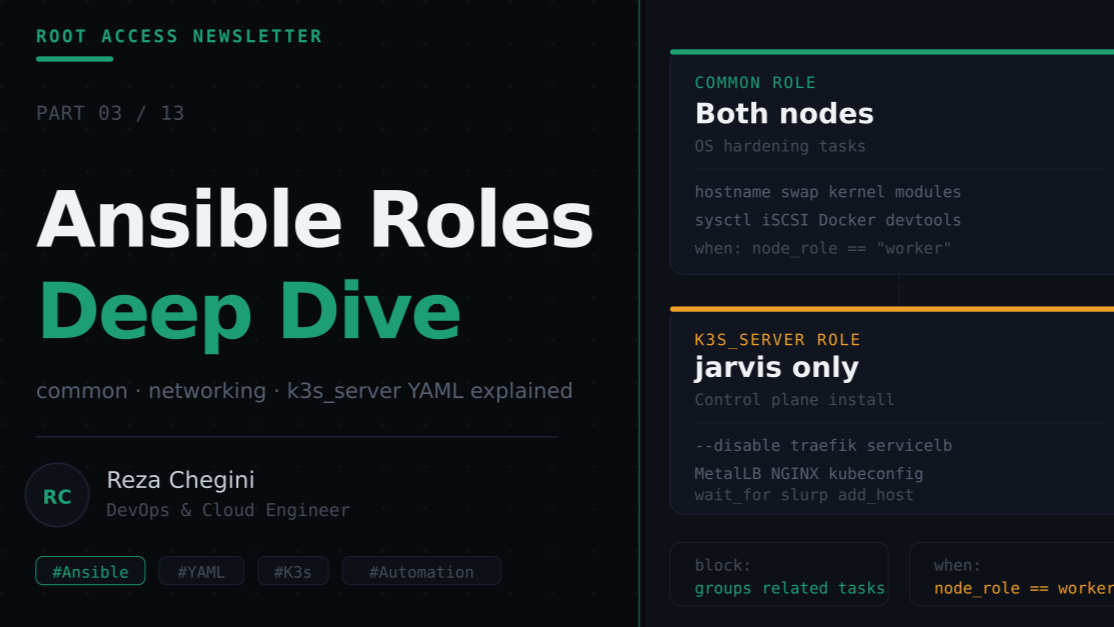
In Part 2 I explained the overall Ansible project structure, how files are organized, what the inventory contains, and how playbooks call roles. In this article I go one level deeper and walk through the actual YAML inside three core roles:
- common: OS hardening applied to both nodes
- networking: UFW firewall rules
- k3s_server: K3s control plane installation
Each role is explained task by task. By the end you’ll understand not just what the YAML does but why each decision was made.
Role 1: common
The common role is the foundation. It runs on both jarvis and thor and handles everything that needs to be in place before any Kubernetes component is installed.
Full tasks/main.yml
---
- name: Set hostname
  hostname:
    name: "{{ node_name }}"
hostname is a built-in Ansible module. It uses hostnamectl under the hood on Ubuntu 24.04. {{ node_name }} resolves to jarvis or thor depending on which host is being configured, set in the inventory file.
- name: Update /etc/hosts with cluster nodes
  blockinfile:
    path: /etc/hosts
    marker: "# {mark} HOMELAB CLUSTER NODES"
    block: |
      10.0.0.148  jarvis
      10.0.0.149  thor
blockinfile adds a block of text between two marker comments:
# BEGIN HOMELAB CLUSTER NODES
10.0.0.148  jarvis
10.0.0.149  thor
# END HOMELAB CLUSTER NODES
The markers make it idempotent, if you run the playbook again, Ansible finds the existing markers and replaces the block instead of appending a duplicate.
- name: Update and upgrade apt packages
  apt:
    update_cache: yes
    upgrade: dist
    cache_valid_time: 3600
upgrade: dist is equivalent to apt dist-upgrade, it upgrades packages and handles dependency changes. More thorough than apt upgrade.
cache_valid_time: 3600, if apt update was run less than 3600 seconds ago (1 hour), skip it. Saves time on repeated runs.
- name: Install essential packages
  apt:
    name:
      - curl
      - wget
      - git
      - vim
      - htop
      - net-tools
      - nmap
      - iptables
      - open-iscsi
      - nfs-common
      - software-properties-common
      - ca-certificates
      - gnupg
      - lsb-release
      - unattended-upgrades
      - apt-transport-https
    state: present
state: present means “install if not already installed”. This is idempotent, if a package is already there, Ansible skips it without error.
Passing a list to name: installs all packages in a single apt install call, which is faster than one task per package.
- name: Set timezone
  timezone:
    name: "{{ timezone }}"
Uses the community.general.timezone module. {{ timezone }} resolves to America/Vancouver from [all:vars] in the inventory. This sets the system timezone using timedatectl under the hood.
- name: Disable swap immediately
  command: swapoff -a
  when: ansible_swaptotal_mb > 0

- name: Disable swap in fstab permanently
  replace:
    path: /etc/fstab
    regexp: '^([^#].*?\sswap\s+.*)$'
    replace: '# \1'
when: ansible_swaptotal_mb > 0, ansible_swaptotal_mb is a fact automatically gathered by Ansible at the start of every play. It’s the total swap in MB. This condition skips the task if swap is already off, pure idempotency.
The replace module uses a regex to comment out the swap line in /etc/fstab:
- ^([^#].*?\sswap\s+.*)$: matches any non-commented line containing the word swap
- # \1: replaces it with the same line prefixed by #
- name: Load required kernel modules
  modprobe:
    name: "{{ item }}"
    state: present
  loop:
    - overlay
    - br_netfilter

- name: Persist kernel modules on boot
  copy:
    dest: /etc/modules-load.d/k3s.conf
    content: |
      overlay
      br_netfilter
loop: runs the same task multiple times with different values. {{ item }} is the current loop value, overlay first, then br_netfilter.
modprobe loads a kernel module immediately. The copy task writes to /etc/modules-load.d/k3s.conf so systemd loads them on every boot. Two separate mechanisms, one for now, one for reboots.
- name: Set sysctl parameters for Kubernetes networking
  sysctl:
    name: "{{ item.key }}"
    value: "{{ item.value }}"
    state: present
    reload: yes
    sysctl_file: /etc/sysctl.d/99-k3s.conf
  loop:
    - { key: "net.bridge.bridge-nf-call-iptables",  value: "1" }
    - { key: "net.bridge.bridge-nf-call-ip6tables", value: "1" }
    - { key: "net.ipv4.ip_forward",                 value: "1" }
loop: here uses a list of dictionaries. Each item has key and value, accessed as {{ item.key }} and {{ item.value }}.
sysctl_file: /etc/sysctl.d/99-k3s.conf writes the parameters to a dedicated file instead of /etc/sysctl.conf. Keeps our changes isolated and easy to remove later.
reload: yes applies the changes immediately via sysctl –system.
- name: Enable iscsid for Longhorn
  systemd:
    name: iscsid
    enabled: yes
state: started - enabled: yes : starts on boot
- state: started: starts right now
Both are needed. enabled: yes alone would start it next reboot but not now. state: started alone would start it now but not persist.
- name: Install Docker
  block:
    - name: Create apt keyrings directory
      file:
        path: /etc/apt/keyrings
        state: directory
        mode: "0755"

    - name: Download Docker GPG key
      shell: |
        curl -fsSL https://download.docker.com/linux/ubuntu/gpg \
          | gpg --dearmor -o /etc/apt/keyrings/docker.gpg
        chmod a+r /etc/apt/keyrings/docker.gpg
      args:
        creates: /etc/apt/keyrings/docker.gpg

    - name: Add Docker apt repository
      apt_repository:
        repo: "deb [arch=amd64 signed-by=/etc/apt/keyrings/docker.gpg] https://download.docker.com/linux/ubuntu {{ ansible_distribution_release }} stable"
        state: present
        filename: docker

    - name: Install Docker packages
      apt:
        name:
          - docker-ce
          - docker-ce-cli
          - containerd.io
          - docker-buildx-plugin
          - docker-compose-plugin
        state: present
        update_cache: yes

    - name: Add user to docker group
      user:
        name: "{{ lab_user }}"
        groups: docker
        append: yes

    - name: Enable and start Docker
      systemd:
        name: docker
        enabled: yes
        state: started
block: groups related tasks together. If any task in the block fails, Ansible can handle it as a unit (with rescue: or always: blocks). It also makes the YAML more readable, it’s clear these tasks all belong to “Install Docker”.
args: creates: /etc/apt/keyrings/docker.gpg, this makes the shell task idempotent. The shell module normally runs every time. creates: tells Ansible “if this file already exists, skip this task”. Without it, we’d overwrite the GPG key file on every run.
{{ ansible_distribution_release }} , another automatically gathered fact. On Ubuntu 24.04 this resolves to noble. This means the repo URL is correct for whatever Ubuntu version is installed, no hardcoding.
append: yes in the user module, adds docker to the user’s groups without removing existing groups. Without append: yes, Ansible would replace all groups with just docker.
- name: Install dev toolchains on worker node
  block:
    - name: Install Python tools
      apt:
        name:
          - python3
          - python3-pip
          - python3-venv
          - python3-dev
        state: present

    - name: Download Go
      get_url:
        url: https://go.dev/dl/go1.22.4.linux-amd64.tar.gz
        dest: /tmp/go.tar.gz

    - name: Extract Go
      unarchive:
        src: /tmp/go.tar.gz
        dest: /usr/local
        remote_src: yes
        creates: /usr/local/go/bin/go

    - name: Add Go to PATH
      lineinfile:
        path: /home/{{ lab_user }}/.bashrc
        line: 'export PATH=$PATH:/usr/local/go/bin'
        state: present

    - name: Download NodeSource setup script
      get_url:
        url: https://deb.nodesource.com/setup_20.x
        dest: /tmp/nodesource_setup.sh
        mode: '0755'

    - name: Run NodeSource setup
      command: bash /tmp/nodesource_setup.sh

    - name: Install Node.js
      apt:
        name: nodejs
        state: present
        update_cache: yes

  when: node_role == "worker"
when: node_role == “worker” at the block level applies to every task inside the block. This is cleaner than adding when: to each individual task.
get_url is Ansible’s module for downloading files, equivalent to curl -O or wget. It handles checksums, retries, and is idempotent.
unarchive with remote_src: yes, extracts a file that’s already on the remote machine (not on the Ansible controller). Without remote_src: yes, Ansible would try to find the file locally on your MacBook.
lineinfile adds a single line to a file if it doesn’t already exist. It won’t add duplicates, making it idempotent. Perfect for adding export PATH=… to .bashrc.
Role 2: networking
The networking role configures UFW (Uncomplicated Firewall) on both nodes. The rules differ depending on whether the node is the control plane or a worker.
Full tasks/main.yml
---
- name: Install UFW
  apt:
    name: ufw
    state: present
Simple package install. UFW is usually included in Ubuntu but we ensure it’s there.
- name: Allow SSH
  ufw:
    rule: allow
    port: "22"
    proto: tcp
Always allow SSH first. If you enable UFW before allowing SSH you’ll lock yourself out of the machine permanently. This task runs on every node regardless of role.
- name: Open control plane firewall ports
  ufw:
    rule: allow
    port: "{{ item.port }}"
    proto: "{{ item.proto }}"
    comment: "{{ item.comment }}"
  loop:
    - { port: "6443",  proto: "tcp", comment: "K3s API server" }
    - { port: "2379",  proto: "tcp", comment: "etcd client" }
    - { port: "2380",  proto: "tcp", comment: "etcd peer" }
    - { port: "10250", proto: "tcp", comment: "Kubelet" }
    - { port: "10251", proto: "tcp", comment: "Scheduler" }
    - { port: "10252", proto: "tcp", comment: "Controller manager" }
    - { port: "8472",  proto: "udp", comment: "Flannel VXLAN" }
    - { port: "51820", proto: "udp", comment: "WireGuard" }
  when: node_role == "control-plane"
What each port does:
| Port | Protocol | Component | Purpose |
|---|---|---|---|
| 6443 | TCP | K3s API server | kubectl commands hit this port |
| 2379 | TCP | etcd | Client connections to the key-value store |
| 2380 | TCP | etcd | Peer communication between etcd instances |
| 10250 | TCP | Kubelet | API for node-level operations |
| 10251 | TCP | Scheduler | Internal scheduler communication |
| 10252 | TCP | Controller Manager | Internal controller communication |
| 8472 | UDP | Flannel VXLAN | Pod-to-pod network traffic between nodes |
| 51820 | UDP | WireGuard | Optional encrypted node communication |
when: node_role == “control-plane” , these ports only open on jarvis. thor doesn’t run the API server or etcd.
- name: Open worker firewall ports
  ufw:
    rule: allow
    port: "{{ item.port }}"
    proto: "{{ item.proto }}"
    comment: "{{ item.comment }}"
  loop:
    - { port: "10250", proto: "tcp", comment: "Kubelet" }
    - { port: "8472",  proto: "udp", comment: "Flannel VXLAN" }
    - { port: "51820", proto: "udp", comment: "WireGuard" }
  when: node_role == "worker"
Worker nodes need fewer ports, just Kubelet (for the control plane to manage it) and Flannel (for pod networking).
- name: Open app service ports
  ufw:
    rule: allow
    port: "{{ item.port }}"
    proto: tcp
    comment: "{{ item.comment }}"
  loop:
    - { port: "80",    comment: "HTTP / Grafana / ArgoCD" }
    - { port: "443",   comment: "HTTPS" }
    - { port: "3000",  comment: "Grafana direct" }
    - { port: "9090",  comment: "Prometheus" }
    - { port: "9093",  comment: "Alertmanager" }
    - { port: "3100",  comment: "Loki" }
    - { port: "16686", comment: "Jaeger UI" }
    - { port: "8080",  comment: "Jenkins UI" }
    - { port: "50000", comment: "Jenkins agent JNLP" }
    - { port: "5000",  comment: "Container registry" }
    - { port: "8200",  comment: "Vault UI" }
    - { port: "30000:32767", comment: "K3s NodePort range" }
These open the service ports so you can reach them from other devices on the network. 30000:32767 is the NodePort range, K3s exposes services on random ports in this range.
- name: Allow all traffic from cluster network
  ufw:
    rule: allow
    src: "{{ lab_network }}"

- name: Allow MetalLB IP pool range inbound
  ufw:
    rule: allow
    src: "10.0.0.200/28"
    comment: "MetalLB LoadBalancer pool"

- name: Enable UFW
  ufw:
    state: enabled
    policy: deny
    direction: incoming

- name: Reload UFW
  ufw:
    state: reloaded
src: “{{ lab_network }}”: allows all traffic from 10.0.0.0/24 (your home network). This means any device on your WiFi can reach the nodes without needing individual port rules.
policy: deny + direction: incoming: the default policy is deny all inbound. Only the explicitly allowed ports above are open. This is the secure default.
Order matters: Enable UFW and set the default deny policy after adding the allow rules. If you did it before, you’d lock yourself out.
Role 3: k3s_server
This role installs and configures the K3s control plane on jarvis. It also installs MetalLB, NGINX Ingress, and sets up the kubeconfig.
Full tasks/main.yml
---
- name: Check if K3s server is already installed
  stat:
    path: /usr/local/bin/k3s
  register: k3s_binary
stat checks if a file exists. register: k3s_binary saves the result into a variable. We use this in the next task to skip installation if K3s is already there.
- name: Install K3s server
  shell: |
    curl -sfL https://get.k3s.io | sh -s - server \
      --disable traefik \
      --disable servicelb \
      --node-name {{ node_name }} \
      --advertise-address {{ node_ip }} \
      --bind-address {{ node_ip }} \
      --write-kubeconfig-mode 644
  when: not k3s_binary.stat.exists
when: not k3s_binary.stat.exists, only runs if /usr/local/bin/k3s doesn’t exist. Makes this task idempotent even though it uses shell.
Flags explained:
- –disable traefik: Don’t install Traefik ingress, we install NGINX instead
- –disable servicelb: Don’t install K3s’s built-in load balancer, we use MetalLB
- –node-name jarvis Node name in the cluster
- –advertise-address 10.0.0.148 IP the API server advertises to workers
- –bind-address 10.0.0.148 IP the API server listens on
- –write-kubeconfig-mode 644 Makes kubeconfig readable by non-root users
Why disable traefik and servicelb? K3s ships with Traefik (ingress) and ServiceLB (load balancer) built in. I disable them because:
- NGINX Ingress is more widely used in production, better to learn that
- MetalLB gives more control over LoadBalancer IP assignment
- Keeping defaults means hidden components you might not understand
- name: Wait for K3s to be ready
  wait_for:
    path: /var/lib/rancher/k3s/server/node-token
    timeout: 60
wait_for pauses the playbook until a condition is met. Here it waits for the node token file to exist, which appears when K3s has finished initializing. Without this, the next task (reading the token) would fail because K3s hasn’t finished starting yet.
- name: Read K3s node token
  slurp:
    src: /var/lib/rancher/k3s/server/node-token
  register: k3s_token_raw

- name: Set K3s token fact
  set_fact:
    k3s_token: "{{ k3s_token_raw.content | b64decode | trim }}"

- name: Save token to dummy host for worker
  add_host:
    name: "k3s_token_holder"
    k3s_token: "{{ k3s_token }}"
slurp reads a remote file and returns its content as base64. k3s_token_raw.content contains the base64-encoded token.
b64decode is a Jinja2 filter that decodes base64. trim removes trailing whitespace/newlines.
add_host creates a virtual “dummy” host in memory with the token as a variable. This is how we pass the token from the control plane play to the worker play, Ansible plays don’t share variables by default, but add_host bridges that gap.
In the worker role, the token is accessed as:
token {{ hostvars['k3s_token_holder']['k3s_token'] }} - name: Wait for K3s API to be available
wait_for:
host: "{{ node_ip }}"
port: 6443
timeout: 60 Waits until port 6443 (the K3s API server) is accepting connections. This ensures the cluster is actually ready before we try to run kubectl commands.
- name: Label control plane node
  shell: |
    kubectl label node {{ node_name }} \
      node-role=control-plane \
      workload={{ workload_label }} \
      --overwrite
  environment:
    KUBECONFIG: /etc/rancher/k3s/k3s.yaml
Kubernetes labels are key-value pairs attached to nodes. We use them for pod scheduling, telling Kubernetes which pods should run on which node.
workload=monitoring on jarvis means we can use nodeSelector in pod specs:
nodeSelector:
  workload: monitoring    # ← only schedule on jarvis
environment: KUBECONFIG: sets the KUBECONFIG environment variable for this shell command. Without it, kubectl doesn’t know where to find the cluster config.
–overwrite, if the label already exists with a different value, update it instead of failing.
- name: Install Helm
  shell: curl https://raw.githubusercontent.com/helm/helm/main/scripts/get-helm-3 | bash
  args:
    creates: /usr/local/bin/helm
creates: /usr/local/bin/helm, makes this idempotent. The shell script won’t re-run if Helm is already installed.
- name: Install MetalLB
  shell: |
    kubectl apply -f https://raw.githubusercontent.com/metallb/metallb/v0.14.5/config/manifests/metallb-native.yaml
  environment:
    KUBECONFIG: /etc/rancher/k3s/k3s.yaml

- name: Wait for MetalLB to be ready
  shell: |
    kubectl wait --namespace metallb-system \
      --for=condition=ready pod \
      --selector=app=metallb \
      --timeout=90s
  environment:
    KUBECONFIG: /etc/rancher/k3s/k3s.yaml
  retries: 3
  delay: 15
retries: 3 and delay: 15, if kubectl wait times out (MetalLB pods are still starting), Ansible waits 15 seconds and tries again, up to 3 times. MetalLB sometimes takes longer to initialize than the timeout allows on first install.
- name: Configure MetalLB IP pool
  shell: |
    cat <<EOF | kubectl apply -f -
    apiVersion: metallb.io/v1beta1
    kind: IPAddressPool
    metadata:
      name: homelab-pool
      namespace: metallb-system
    spec:
      addresses:
      - {{ metallb_ip_range }}
    ---
    apiVersion: metallb.io/v1beta1
    kind: L2Advertisement
    metadata:
      name: homelab-l2
      namespace: metallb-system
    EOF
  environment:
    KUBECONFIG: /etc/rancher/k3s/k3s.yaml
This creates two MetalLB custom resources:
IPAddressPool, defines the pool of IPs MetalLB can assign. {{ metallb_ip_range }} resolves to 10.0.0.200-10.0.0.220. When a Kubernetes service of type LoadBalancer is created, MetalLB picks an IP from this pool.
L2Advertisement, tells MetalLB to use Layer 2 mode (ARP). In L2 mode, MetalLB responds to ARP requests for the LoadBalancer IPs, making them reachable on the local network. This is the right mode for a home network without BGP routing.
The cat <<EOF | kubectl apply -f – pattern is a heredoc piped to kubectl, a clean way to apply inline YAML manifests from a shell command.
- name: Create .kube dir for user
  file:
    path: /home/{{ lab_user }}/.kube
    state: directory
    owner: "{{ lab_user }}"
    mode: '0755'

- name: Copy kubeconfig to user home
  copy:
    src: /etc/rancher/k3s/k3s.yaml
    dest: /home/{{ lab_user }}/.kube/config
    remote_src: yes
    owner: "{{ lab_user }}"
    mode: '0600'

- name: Fix kubeconfig server address
  replace:
    path: /home/{{ lab_user }}/.kube/config
    regexp: 'https://127\.0\.0\.1:6443'
    replace: 'https://{{ node_ip }}:6443'
Order matters here, this is one of the bugs I hit. The copy task fails if the destination directory doesn’t exist. Creating the directory first fixes it.
K3s writes the kubeconfig with server: https://127.0.0.1:6443, pointing to localhost. When you copy this to your MacBook and run kubectl, it tries to connect to your MacBook’s localhost, not jarvis. The replace task fixes the server address to the actual node IP so it works from any machine.
What’s Next
In Part 4 I’ll cover the networking role in more detail and walk through the K3s agent role, how thor joins the cluster, how node tokens work, and how Kubernetes schedules pods across two nodes.