$ cat home-lab/part-06.md
Part 06 – Monitoring Stack: Prometheus, Grafana, Loki, Promtail and Jaeger
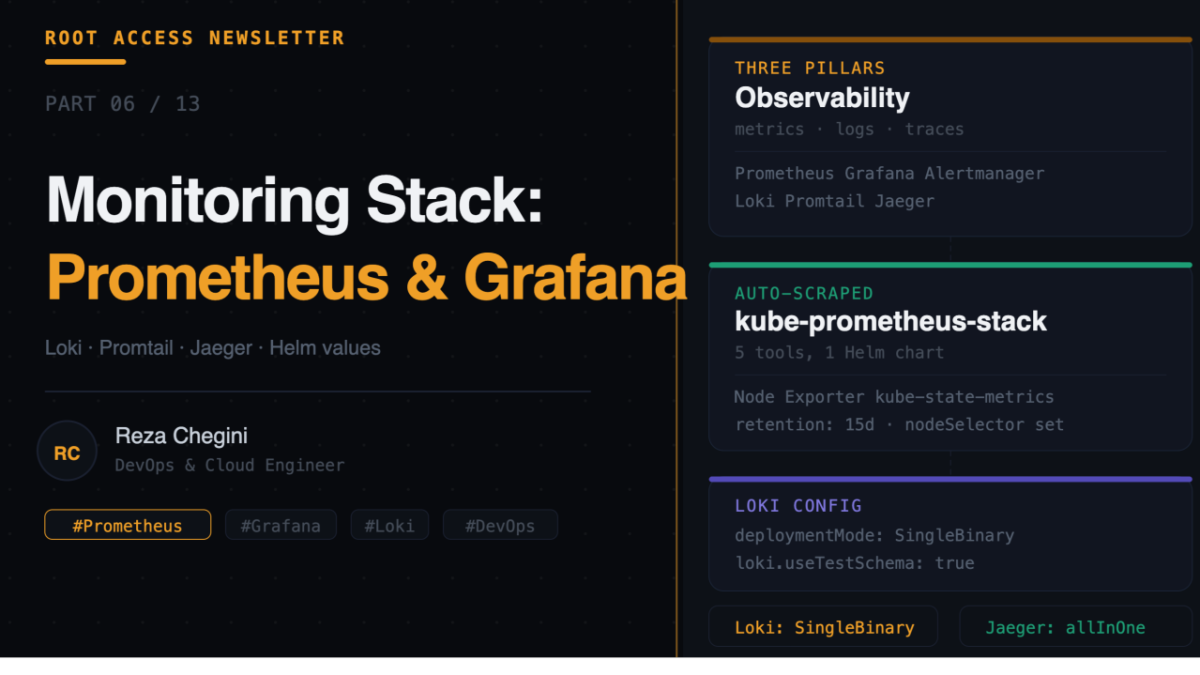
Overview
In Part 5 we added persistent storage with Longhorn. Now the cluster can run stateful applications without losing data. In this article I deploy the full observability stack, metrics, logs, and traces, the three pillars of modern monitoring.
By the end of this article you will have:
- Prometheus scraping metrics from every pod and node automatically
- Grafana displaying dashboards for the entire cluster
- Loki and Promtail collecting and aggregating logs from every pod
- Jaeger for distributed tracing across microservices
All accessible via grafana.rezaops.com, prometheus.rezaops.com, and so on.
The Three Pillars of Observability
Metrics – numerical measurements over time (CPU %, memory MB, request count). Prometheus scrapes these from every pod every 15 seconds.
Logs – text output from applications (ERROR: database connection failed). Promtail ships these to Loki which stores and indexes them.
Traces – the path a single request takes through multiple services (API to auth service to database to cache). Jaeger records these end-to-end journeys.
Together they let you answer: is something broken, what exactly broke, and why did it break.
Role: monitoring
All five tools are installed by the monitoring role running on jarvis.
Full tasks/main.yml
- name: Add Helm repos for monitoring
  shell: |
    helm repo add prometheus-community \
      https://prometheus-community.github.io/helm-charts
    helm repo add grafana https://grafana.github.io/helm-charts
    helm repo add jaegertracing https://jaegertracing.github.io/helm-charts
    helm repo update
  environment:
    KUBECONFIG: /etc/rancher/k3s/k3s.yaml
Three repos added in one task. helm repo update refreshes the index so we always get the latest available versions.
- name: Create monitoring namespace
  shell: |
    kubectl create namespace monitoring \
      --dry-run=client -o yaml | kubectl apply -f -
  environment:
    KUBECONFIG: /etc/rancher/k3s/k3s.yaml
All monitoring tools share the monitoring namespace. Grouping related tools in one namespace makes it easy to see everything at once:
kubectl get pods -n monitoring
kubectl get svc -n monitoring
Installing kube-prometheus-stack
- name: Install kube-prometheus-stack
  shell: |
    helm upgrade --install kube-prometheus-stack \
      prometheus-community/kube-prometheus-stack \
      --namespace monitoring \
      --set grafana.adminPassword={{ grafana_admin_password }} \
      --set prometheus.prometheusSpec.retention={{ prometheus_retention }} \
      --set grafana.service.type=LoadBalancer \
      --set prometheus.service.type=LoadBalancer \
      --set alertmanager.service.type=LoadBalancer \
      --set prometheus.prometheusSpec.nodeSelector."workload"=monitoring \
      --set grafana.nodeSelector."workload"=monitoring \
      --set alertmanager.alertmanagerSpec.nodeSelector."workload"=monitoring
  environment:
    KUBECONFIG: /etc/rancher/k3s/k3s.yaml
kube-prometheus-stack is a single Helm chart that installs Prometheus, Grafana, Alertmanager, Node Exporter, kube-state-metrics, and the Prometheus Operator. Installing all of these separately would require managing five Helm releases and making sure they are all compatible. The stack handles this for you.
Helm values explained:
- grafana.adminPassword, homelab123, Grafana login password
- prometheus.prometheusSpec.retention, 15d, keep 15 days of metrics data
- grafana.service.type, LoadBalancer, Grafana gets a real IP from MetalLB
- prometheus.service.type, LoadBalancer, Prometheus UI gets a real IP
- alertmanager.service.type, LoadBalancer, Alertmanager UI gets a real IP
- nodeSelector.”workload”=monitoring, pins all pods to jarvis
Why retention=15d? Prometheus stores time-series data on disk. The longer the retention, the more disk space used. 15 days is a good balance for a home lab, enough history to spot trends without filling the disk. A 2-node cluster with around 1000 metrics generates about 1-2GB per day, so 15 days is roughly 15-30GB.
Why nodeSelector on every component? Without it, Kubernetes might schedule Grafana on thor and Prometheus on jarvis. This creates unnecessary cross-node traffic and makes debugging harder. Pinning everything to jarvis keeps monitoring self-contained.
- name: Wait for Grafana to be ready
  shell: |
    kubectl wait --namespace monitoring \
      --for=condition=ready pod \
      --selector=app.kubernetes.io/name=grafana \
      --timeout=120s
  environment:
    KUBECONFIG: /etc/rancher/k3s/k3s.yaml
  retries: 3
  delay: 20
We specifically wait for Grafana because it is the UI we will use to verify everything else is working.
What Prometheus Scrapes Automatically
The kube-prometheus-stack configures Prometheus to scrape metrics from:
- Kubernetes API server, cluster health metrics
- Node Exporter on jarvis, CPU, memory, disk, network
- Node Exporter on thor, CPU, memory, disk, network
- kube-state-metrics, pod status and deployment health
- Alertmanager, alert metrics
- CoreDNS, DNS query metrics
- Kubelet on both nodes, container metrics
You get hundreds of metrics out of the box without any configuration. Your pods can expose additional metrics by adding a ServiceMonitor CRD, but the baseline cluster metrics are automatic.
Most useful default queries:
# Node CPU usage
100 - (avg by(instance)(rate(node_cpu_seconds_total{mode="idle"}[5m])) * 100)

# Node memory usage
(1 - node_memory_MemAvailable_bytes / node_memory_MemTotal_bytes) * 100

# Pod restart count
increase(kube_pod_container_status_restarts_total[1h])

# Disk usage per node
(node_filesystem_size_bytes - node_filesystem_free_bytes) / node_filesystem_size_bytes * 100
Installing Loki
- name: Install Loki
  shell: |
    helm upgrade --install loki grafana/loki \
      --namespace monitoring \
      --set deploymentMode=SingleBinary \
      --set loki.auth_enabled=false \
      --set loki.commonConfig.replication_factor=1 \
      --set loki.storage.type=filesystem \
      --set singleBinary.replicas=1 \
      --set singleBinary.nodeSelector."workload"=monitoring \
      --set read.replicas=0 \
      --set write.replicas=0 \
      --set backend.replicas=0 \
      --set loki.useTestSchema=true
  environment:
    KUBECONFIG: /etc/rancher/k3s/k3s.yaml
Helm values explained:
- deploymentMode, SingleBinary, run as one process instead of distributed components
- loki.auth_enabled, false, no authentication needed for a home lab
- loki.storage.type, filesystem, store logs on local disk, not S3
- singleBinary.replicas, 1, one Loki pod
- read/write/backend.replicas, 0, disable distributed components
- loki.useTestSchema, true, use built-in schema config
Why SingleBinary mode? The default Loki chart in newer versions expects a distributed deployment with separate read, write, and backend components, each requiring object storage like S3. This is production-grade but overkill for a home lab. SingleBinary mode runs everything in one pod and stores logs on the local filesystem.
Why useTestSchema=true? Newer Loki versions require you to define a schema config. useTestSchema=true uses a built-in default schema. In production you would define your own, but for a home lab this is the right shortcut.
Installing Promtail
- name: Install Promtail
  shell: |
    helm upgrade --install promtail grafana/promtail \
      --namespace monitoring \
      --set loki.serviceName=loki
  environment:
    KUBECONFIG: /etc/rancher/k3s/k3s.yaml
Promtail is the log shipper. It runs as a DaemonSet, one pod per node, and watches /var/log/pods/ on each node, tails log files from every running container, adds labels like pod name, namespace, and container name, and ships logs to Loki.
Because it is a DaemonSet, you do not specify a nodeSelector. It automatically runs on every node in the cluster. One Promtail on jarvis, one on thor.
Installing Jaeger
- name: Install Jaeger
  shell: |
    helm upgrade --install jaeger jaegertracing/jaeger \
      --namespace monitoring \
      --set allInOne.enabled=true \
      --set collector.enabled=false \
      --set query.enabled=false \
      --set agent.enabled=false \
      --set storage.type=memory \
      --set allInOne.service.type=LoadBalancer \
      --set allInOne.nodeSelector."workload"=monitoring
  environment:
    KUBECONFIG: /etc/rancher/k3s/k3s.yaml
Helm values explained:
- allInOne.enabled, true, run all Jaeger components in one pod
- collector/query/agent.enabled, false, disable separate component deployments
- storage.type, memory, store traces in memory not Elasticsearch
- allInOne.service.type, LoadBalancer, Jaeger UI gets a real IP
Why allInOne mode? Production Jaeger uses separate collector, query, and agent components backed by Elasticsearch or Cassandra. For a home lab, allInOne puts everything in one pod and stores traces in memory. Simple, though traces do not persist across pod restarts.
Verifying the Stack
Get all service IPs:
kubectl get svc -n monitoring | grep LoadBalancer
kube-prometheus-stack-grafana        LoadBalancer  10.0.0.202   80
kube-prometheus-stack-prometheus     LoadBalancer  10.0.0.203   9090
kube-prometheus-stack-alertmanager   LoadBalancer  10.0.0.204   9093
jaeger-query                         LoadBalancer  10.0.0.205   16686
Open Grafana at http://grafana.rezaops.com and login with admin and your password. Pre-built dashboards are already there:
- Kubernetes / Compute Resources / Cluster, CPU and memory across the whole cluster
- Kubernetes / Compute Resources / Node, per-node breakdown
- Node Exporter / Full, detailed OS metrics including disk I/O, network, and filesystem
Check Promtail is running on both nodes:
kubectl get pods -n monitoring | grep promtail
promtail-xxxxx   1/1   Running   jarvis
promtail-yyyyy   1/1   Running   thor
One pod per node means logs from all containers on both nodes are being collected.
In Grafana, go to Explore, change the data source to Loki, and run:
{namespace="monitoring"}You should see logs from all pods in the monitoring namespace streaming in real time.
Useful Queries
Prometheus (PromQL):
# Which pods are using the most memory
topk(5, container_memory_usage_bytes{namespace!="kube-system"})

# Pod restart rate in the last hour
rate(kube_pod_container_status_restarts_total[1h]) > 0
Loki (LogQL):
# All error logs across the cluster
{job="kubernetes-pods"} |= "ERROR"

# Logs from a specific app
{namespace="myapp", app="django-app"}

# Error rate over time
rate({job="kubernetes-pods"} |= "ERROR" [5m])
What’s Next
In Part 7 I will cover the CI/CD stack, Jenkins deployed on Kubernetes, the local container registry, and a complete Jenkinsfile pipeline that builds an image, pushes it to the registry, and triggers an ArgoCD deployment.