$ cat prometheus/part-05.md
Prometheus Client Libraries and Short-Lived Jobs
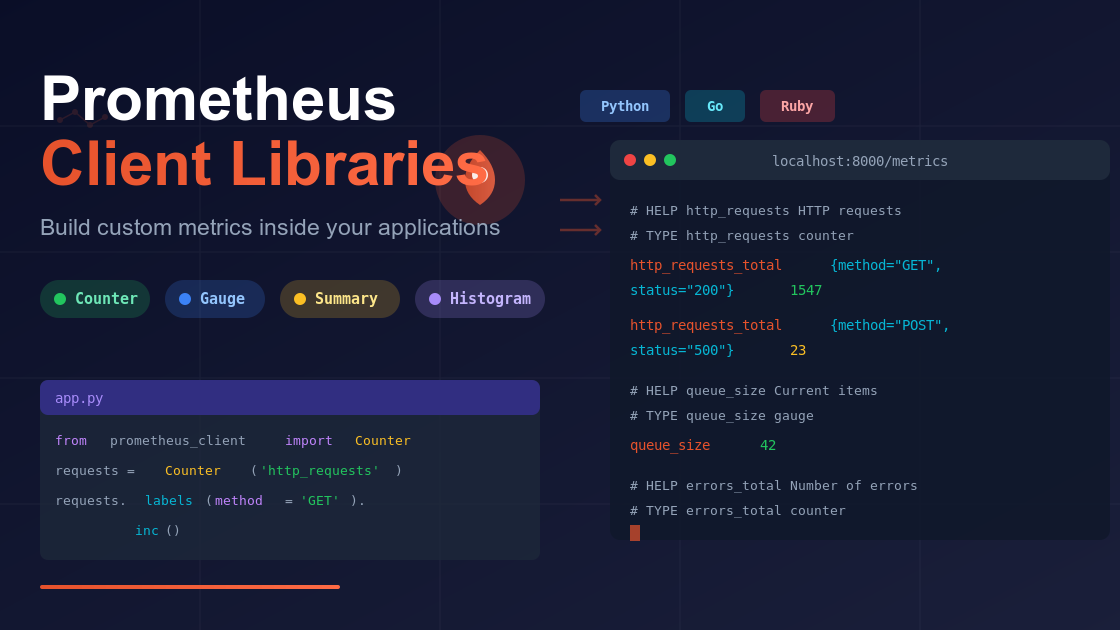
1) What Are Client Libraries
Prometheus usually collects data from exporters, like Node Exporter or cAdvisor, which always run in the background and expose system metrics.
However, sometimes we want to create our own metrics directly from an application. That’s where client libraries help.
A client library is a small piece of code that lets your application expose metrics in Prometheus format. It works like adding an exporter inside your own program.
You can use it to track things such as:
- Number of requests handled
- Time taken to process a function
- Current size of a queue
- Number of errors
Using a client library gives you full control over what metrics you want to monitor from your code.
2) Official Client Libraries (without Java/C#)
Prometheus has official client libraries for:
- Go
- Python
- Ruby
In this post I use Python because it is quick for demos and scripting.
3) Python Quick Start (Summary metric)
Install and run:
python3 -m venv py-metrics
source py-metrics/bin/activate
pip install prometheus-client
Simple app with a Summary to measure time:
from prometheus_client import Summary, start_http_server
import random, time

REQUEST_TIME = Summary('request_processing_seconds',
                       'Time spent processing a request')

@REQUEST_TIME.time()
def process_request(t):
    time.sleep(t)

if __name__ == "__main__":
    start_http_server(8000)  # /metrics on port 8000
    while True:
        process_request(random.random())
Run it:
python3 app.pyOpen http://localhost:8000/metrics and you will see metrics like:
- request_processing_seconds_count
- request_processing_seconds_sum
4) Counters and Gauges (Python)
Counters only go up (or reset on restart). Good for requests or errors.
from prometheus_client import Counter
errors_total = Counter('errors_total', 'Number of errors')
errors_total.inc()     # +1
errors_total.inc(5)    # +5
Gauges go up and down. Good for “current value” like queue size or memory.
from prometheus_client import Gauge
queue_size = Gauge('queue_size', 'Current items in queue')
queue_size.set(12)
queue_size.inc(3)
queue_size.dec(2)
Common tip: Prometheus adds _total to counters automatically. Do not add _total in the name yourself.
5) Labels (add dimensions)
Labels help you filter and group metrics.
from prometheus_client import Counter
http_requests = Counter('http_requests', 'HTTP requests', ['method', 'status'])

# Set labels before increment
http_requests.labels(method='GET',  status='200').inc()
http_requests.labels(method='POST', status='500').inc(2)
Now you can query:
http_requests_total{method="GET",status="200"}6) Add Your App to Prometheus
Edit prometheus.yml:
scrape_configs:
  - job_name: "python"
    static_configs:
      - targets: ["localhost:8000"]
7) Best Practices
- Choose right type:
- Name clearly: lowercase, snake_case, include units like _seconds or _bytes.
- Use labels carefully: a few stable labels are good; do not add user IDs or things with many unique values.
- Security: do not expose secrets in labels; protect the metrics endpoint if needed.
- Performance: do not create thousands of unique label values; each unique label set is a new time series.
9) Common Issues and Fixes
- No metrics in Prometheus: open the app’s /metrics in a browser, check port, update prometheus.yml, and restart.
- Counter resets to zero: app restarted; use rate() or increase() in PromQL to handle restarts.
- “Address already in use”: find the process with lsof -i :8000 (Linux/Mac) and stop it, or choose a new port.
- Labels not showing: you must call .labels(…).inc() with all defined labels.