$ cat aws-with-terraform/part-02.md
AWS Application Load Balancer: From Basic Setup to Advanced Routing with Terraform
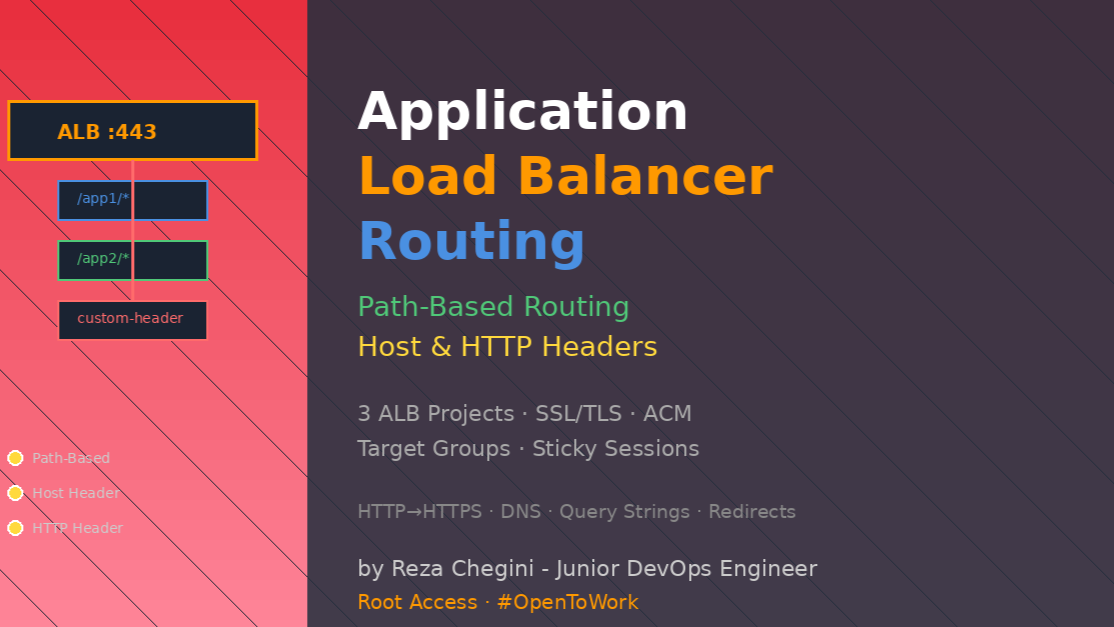
Why I Built These Three ALB Projects
When I first heard about Application Load Balancer, I thought “it’s just distributes traffic, right?” Wrong! ALB is like a smart traffic cop that can make decisions based on URL paths, domain names, HTTP headers, and more.
I built three different ALB configurations to understand how traffic routing really works in production environments. Each project taught me something new about AWS networking and load balancing.
What I Built
Project 1: Basic ALB (Foundation)
- Simple HTTP load balancer
- 2 EC2 instances behind ALB
- Basic health checks
- Single application routing
Project 2: Path-Based Routing (Microservices)
- /app1/* → Application 1 instances
- /app2/* → Application 2 instances
- Different apps on same domain
- SSL/TLS with ACM certificate
Project 3: Host Header Routing (Multi-Tenant)
- app1.rezaops.com → Application 1
- app2.rezaops.com → Application 2
- Separate domains for each app
- DNS integration with Route53
Complete Architecture
Internet
    ↓
Route53 DNS
    ├── apps.rezaops.com (Path-based)
    ├── app1.rezaops.com (Host header)
    └── app2.rezaops.com (Host header)
    ↓
Application Load Balancer (Public Subnets)
    ├── Listener: HTTP:80 → Redirect to HTTPS
    └── Listener: HTTPS:443
        ├── Path /app1/* → Target Group 1
        ├── Path /app2/* → Target Group 2
        ├── Host app1.rezaops.com → Target Group 1
        └── Host app2.rezaops.com → Target Group 2
    ↓
Target Groups (with Health Checks)
    ├── TG1: App1 Instances (Private Subnets)
    └── TG2: App2 Instances (Private Subnets)
    ↓
EC2 Instances
    ├── App1: 2 instances across 2 AZs
    └── App2: 2 instances across 2 AZs
Technical Deep Dive
1. Understanding the ALB Module Configuration
I use Terraform AWS ALB module (version 9.11.0). Here’s the complete setup:
module "alb" {
  source  = "terraform-aws-modules/alb/aws"
  version = "9.11.0"

  name = "${local.name}-alb"
  load_balancer_type = "application"
  vpc_id = module.vpc.vpc_id
  subnets = module.vpc.public_subnets
  security_groups = [module.loadbalancer_sg.security_group_id]

  enable_deletion_protection = false

  # Listeners and Rules configuration...
}
Key parameters explained:
load_balancer_type = “application”
- Layer 7 load balancer (works with HTTP/HTTPS)
- Can inspect request content (paths, headers, cookies)
- Different from NLB which is Layer 4 (TCP/UDP)
subnets = module.vpc.public_subnets
- ALB must be in public subnets to receive internet traffic
- Distributes across multiple AZs automatically
- Each AZ gets one ALB node
enable_deletion_protection = false
- Set to true in production to prevent accidental deletion
- I set false for learning environment (easier to destroy)
2. HTTP to HTTPS Redirect – Security Best Practice
Every production ALB should redirect HTTP to HTTPS. Here’s my configuration:
listeners = {
  # Listener 1: HTTP Redirect
  my-http-https-redirect = {
    port     = 80
    protocol = "HTTP"
    redirect = {
      port        = "443"
      protocol    = "HTTPS"
      status_code = "HTTP_301"
    }
  }
Why HTTP 301 redirect?
- 301 = “Moved Permanently”
- Browsers cache this redirect
- Better for SEO than 302 (temporary redirect)
- Users always get HTTPS even if they type http://
What actually happens:
User types: http://apps.rezaops.com/app1
    ↓
ALB receives on port 80
    ↓
ALB responds: HTTP 301 → https://apps.rezaops.com/app1
    ↓
Browser automatically requests HTTPS
    ↓
User gets secure connection
3. HTTPS Listener with TLS 1.3
Modern security requires strong encryption:
my-https-listener = {
  port                        = 443
  protocol                    = "HTTPS"
  ssl_policy                  = "ELBSecurityPolicy-TLS13-1-2-Res-2021-06"
  certificate_arn             = module.acm.acm_certificate_arn
SSL Policy explained:
- TLS13-1-2-Res-2021-06 = TLS 1.3 and TLS 1.2 only
- Drops support for old TLS 1.0 and 1.1 (insecure)
- “Res” = Restricted, more secure cipher suites
- 2021-06 = Policy version (AWS updates these)
Why this matters:
- TLS 1.0/1.1 have known vulnerabilities
- PCI-DSS compliance requires TLS 1.2+
- Modern browsers support TLS 1.3
- Better performance with TLS 1.3
4. Path-Based Routing Rules
This is where ALB becomes really powerful. I can route different URL paths to different applications:
rules = {
  # Rule 1: /app1* routes to App1
  myapp1-rule = {
    actions = [{
      type = "weighted-forward"
      target_groups = [
        {
          target_group_key = "mytg1"
          weight           = 1
        }
      ]
      stickiness = {
        enabled  = true
        duration = 3600
      }
    }]
    conditions = [{
      path_pattern = {
        values = ["/app1*"]
      }
    }]
  }

  # Rule 2: /app2* routes to App2
  myapp2-rule = {
    actions = [{
      type = "weighted-forward"
      target_groups = [
        {
          target_group_key = "mytg2"
          weight           = 1
        }
      ]
      stickiness = {
        enabled  = true
        duration = 3600
      }
    }]
    conditions = [{
      path_pattern = {
        values = ["/app2*"]
      }
    }]
  }
}
Path pattern matching:
- /app1* matches: /app1 /app1/ /app1/index.html /app1/users/123
- Does NOT match: /app11 (need /app1/* for this) /application1
The asterisk matters!
- /app1* = greedy match (matches everything starting with /app1)
- /app1/* = path segments (more specific)
Weighted forward:
weight = 1This is for A/B testing or blue-green deployments. I can split traffic:
# Example: 80% to new version, 20% to old version
target_groups = [
  { target_group_key = "new_version", weight = 80 },
  { target_group_key = "old_version", weight = 20 }
]
Sticky sessions:
stickiness = {
  enabled  = true
  duration = 3600  # 1 hour in seconds
}
Why sticky sessions are important:
- User connects to server-1
- ALB creates cookie: AWSALB=xxxxx
- For 3600 seconds, all requests go to same server
- Important for stateful applications (shopping carts, login sessions)
Without sticky sessions:
Request 1 → Server 1 (user logs in)
Request 2 → Server 2 (user appears logged out!)
With sticky sessions:
Request 1 → Server 1 (user logs in)
Request 2 → Server 1 (user still logged in)
5. Host Header-Based Routing
Different approach – route based on domain name:
conditions = [{
  host_header = {
    values = [var.app1_dns_name]  # "app1.rezaops.com"
  }
}]
How this works:
HTTP request includes Host header:
GET / HTTP/1.1
Host: app1.rezaops.com
ALB checks the Host header and routes accordingly:
Host: app1.rezaops.com → Target Group 1
Host: app2.rezaops.com → Target Group 2
Host: unknown.com → Default action (fixed response)
Use cases for host header routing:
- Multi-tenant SaaS: customer1.app.com, customer2.app.com
- Regional sites: us.company.com, eu.company.com
- Brand separation: brand1.com, brand2.com
- Development environments: dev.app.com, staging.app.com, prod.app.com
6. Target Groups – The Backend Configuration
Target groups define where traffic actually goes:
target_groups = {
  mytg1 = {
    create_attachment = false  # VERY IMPORTANT!
    name_prefix       = "mytg1-"
    protocol          = "HTTP"
    port              = 80
    target_type       = "instance"
    deregistration_delay = 10
    load_balancing_cross_zone_enabled = false
    protocol_version = "HTTP1"

    health_check = {
      enabled             = true
      interval            = 30
      path                = "/app1/index.html"
      port                = "traffic-port"
      healthy_threshold   = 3
      unhealthy_threshold = 3
      timeout             = 6
      protocol            = "HTTP"
      matcher             = "200-399"
    }
  }
}
Why create_attachment = false?
This is a workaround for Terraform module limitation. The module cannot handle for_each instances properly, so I create attachments separately:
resource "aws_lb_target_group_attachment" "mytg1" {
  for_each = {for k,v in module.ec2_private_app1: k => v}
  target_group_arn = module.alb.target_groups["mytg1"].arn
  target_id        = each.value.id
  port             = 80
}
This creates one attachment per EC2 instance dynamically.
Deregistration delay:
deregistration_delay = 10What happens when instance is removed:
- ALB marks instance as “draining”
- Waits 10 seconds for existing connections to finish
- No NEW connections sent to this instance
- After 10 seconds, forcefully closes remaining connections
- Instance fully deregistered
In production, use 300 seconds (5 minutes) for long-running requests.
Load balancing cross-zone:
load_balancing_cross_zone_enabled = falseWith cross-zone disabled (what I use):
AZ-1: 60% traffic → instances in AZ-1
AZ-2: 40% traffic → instances in AZ-2
With cross-zone enabled:
AZ-1: 50% traffic → all instances
AZ-2: 50% traffic → all instances
Cross-zone costs money (data transfer between AZs), so I disabled it for learning.
7. Health Checks – Keeping Traffic Away from Broken Instances
Health checks are critical for high availability:
health_check = {
  enabled             = true
  interval            = 30      # Check every 30 seconds
  path                = "/app1/index.html"
  port                = "traffic-port"
  healthy_threshold   = 3       # 3 success → healthy
  unhealthy_threshold = 3       # 3 failures → unhealthy
  timeout             = 6       # Wait 6 seconds for response
  protocol            = "HTTP"
  matcher             = "200-399"  # Accept 200-399 status codes
}
How health checks work:
Every 30 seconds, ALB sends:
GET /app1/index.html HTTP/1.1
Host: <instance-private-ip>
Scenario 1: Healthy instance
t=0:  Request → 200 OK (success count: 1)
t=30: Request → 200 OK (success count: 2)
t=60: Request → 200 OK (success count: 3, mark HEALTHY)
Scenario 2: Instance becomes unhealthy
t=0:  Request → Timeout (failure count: 1)
t=30: Request → 500 Error (failure count: 2)
t=60: Request → Timeout (failure count: 3, mark UNHEALTHY)
Once unhealthy, ALB stops sending traffic immediately.
Choosing health check path:
- Good: /health endpoint that checks database, dependencies
- Better: /app1/index.html actual application page
- Best: Custom /health-check that verifies entire stack
Matcher = “200-399”
This accepts:
- 200 OK
- 201 Created
- 204 No Content
- 301 Redirect
- 304 Not Modified
Does NOT accept:
- 400 Bad Request
- 401 Unauthorized
- 500 Server Error
- 503 Service Unavailable
8. ACM Certificate with DNS Validation
For HTTPS, I need SSL certificate. AWS Certificate Manager makes this easy:
module "acm" {
  source  = "terraform-aws-modules/acm/aws"
  version = "5.1.0"

  domain_name  = trimsuffix(data.aws_route53_zone.mydomain.name, ".")
  zone_id      = data.aws_route53_zone.mydomain.zone_id

  subject_alternative_names = [
    "*.rezaops.com"  # Wildcard for all subdomains
  ]

  validation_method = "DNS"
  wait_for_validation = true

  tags = local.common_tags
}
DNS validation process:
- Terraform requests certificate for rezaops.com and *.rezaops.com
- ACM generates CNAME records for validation:
_abc123.rezaops.com → _xyz789.acm-validation.aws.- Terraform automatically creates these CNAME records in Route53
- ACM checks DNS and validates ownership
- Certificate issued (usually takes 5-30 minutes)
Wildcard certificate:
subject_alternative_names = ["*.rezaops.com"]This covers:
- app1.rezaops.com ✓
- app2.rezaops.com ✓
- api.rezaops.com ✓
- www.rezaops.com ✓
Does NOT cover:
- rezaops.com ✗ (need to include base domain separately)
- sub.app1.rezaops.com ✗ (wildcard only works for one level)
wait_for_validation = trueWithout this:
- Terraform completes immediately
- Certificate still “Pending Validation”
- ALB creation fails (no valid certificate)
With this:
- Terraform waits for validation
- Certificate shows “Issued”
- ALB can use certificate immediately
9. Route53 DNS Records
I create DNS records that point to ALB:
# For path-based routing
resource "aws_route53_record" "apps_dns" {
  zone_id = data.aws_route53_zone.mydomain.zone_id
  name = "apps.rezaops.com"
  type = "A"

  alias {
    name = module.alb.dns_name
    zone_id = module.alb.zone_id
    evaluate_target_health = true
  }
}

# For host header routing
resource "aws_route53_record" "app1_dns" {
  zone_id = data.aws_route53_zone.mydomain.zone_id
  name = "app1.rezaops.com"
  type = "A"

  alias {
    name = module.alb.dns_name
    zone_id = module.alb.zone_id
    evaluate_target_health = true
  }
}
Alias record vs CNAME:
CNAME (not recommended for root):
app1.rezaops.com CNAME → myalb-123.us-east-1.elb.amazonaws.com- Costs money (queries charged)
- Cannot use for root domain (rezaops.com)
- Additional DNS lookup required
Alias (AWS special):
app1.rezaops.com A → alias to ALB- Free (no query charges)
- Can use for root domain
- Resolves directly to IP addresses
- Better performance
evaluate_target_health = trueRoute53 checks:
- Is ALB healthy?
- Are any targets healthy in ALB?
- If all unhealthy, Route53 can failover to backup
This adds DNS-level health checking on top of ALB health checks.
10. Load Balancer Security Group
ALB needs its own security group:
module "loadbalancer_sg" {
  source  = "terraform-aws-modules/security-group/aws"
  version = "5.2.0"

  name = "loadbalancer-sg"
  description = "Security Group for ALB"
  vpc_id = module.vpc.vpc_id

  ingress_rules = ["http-80-tcp","https-443-tcp"]
  ingress_cidr_blocks = ["0.0.0.0/0"]

  egress_rules = ["all-all"]
  tags = local.common_tags

  # Custom port for testing
  ingress_with_cidr_blocks = [
    {
      from_port   = 81
      to_port     = 81
      protocol    = 6
      description = "Allow Port 81 from internet"
      cidr_blocks = "0.0.0.0/0"
    },
  ]
}
Security group flow for ALB:
Inbound:
Internet (0.0.0.0/0) → ALB Security Group
  Port 80 (HTTP)     → Allowed
  Port 443 (HTTPS)   → Allowed
  Port 81 (custom)   → Allowed
  Port 22 (SSH)      → Denied
Outbound:
ALB → Private Instances
  All ports → Allowed (egress_rules = ["all-all"])
Important: Private instance security group must allow ALB
Private instances security group:
module "private_sg" {
  ingress_rules = ["ssh-tcp", "http-80-tcp"]
  ingress_cidr_blocks = [module.vpc.vpc_cidr_block]
}
This allows HTTP from entire VPC CIDR, which includes ALB.
Better approach:
ingress_with_source_security_group_id = [
  {
    rule                     = "http-80-tcp"
    source_security_group_id = module.loadbalancer_sg.security_group_id
  }
]
This allows HTTP ONLY from ALB security group, not entire VPC.
11. Fixed Response for Unmatched Routes
What happens when someone visits root path or unknown path?
my-https-listener = {
  port = 443
  protocol = "HTTPS"

  # Default action when no rules match
  fixed_response = {
    content_type = "text/plain"
    message_body = "Fixed Static message - for Root Context"
    status_code  = "200"
  }
Traffic flow:
Request: https://apps.rezaops.com/
- Path = /
- Does NOT match /app1*
- Does NOT match /app2*
- Falls through to default action
- Returns fixed response
Request: https://apps.rezaops.com/app1/
- Path = /app1/
- Matches /app1* rule
- Routes to App1 target group
You can also return custom HTML:
fixed_response = {
  content_type = "text/html"
  message_body = "<html><body><h1>Welcome!</h1></body></html>"
  status_code  = "200"
}
Or redirect to specific URL:
redirect = {
  protocol    = "HTTPS"
  port        = "443"
  host        = "www.example.com"
  path        = "/welcome"
  status_code = "HTTP_301"
}
Comparing the Three Routing Methods
Basic ALB (Simplest)
Use when:
- Single application
- No need for complex routing
- Just want high availability
Configuration:
listeners = {
  my-http-listener = {
    port = 80
    protocol = "HTTP"
    forward = {
      target_group_key = "mytg1"
    }
  }
}
All traffic goes to one target group. Simple and effective.
Path-Based Routing (Microservices)
Use when:
- Multiple applications on same domain
- Microservices architecture
- API versioning (v1/, v2/)
- Different backends for different features
Example use cases:
https://api.company.com/users/*     → User service
https://api.company.com/products/*  → Product service
https://api.company.com/orders/*    → Order service
https://api.company.com/payments/*  → Payment service
Advantages:
- One domain, multiple backends
- Easy SSL certificate management (single cert)
- Cost effective (one ALB for multiple apps)
Disadvantages:
- All apps must be on same domain
- URL structure must be planned carefully
- Path conflicts possible
Host Header Routing (Multi-Tenant)
Use when:
- Different domains for different applications
- Multi-tenant SaaS
- White-label applications
- Brand separation
Example use cases:
customer1.saas.com → Customer 1 environment
customer2.saas.com → Customer 2 environment

app.company.com    → Main application
admin.company.com  → Admin panel
api.company.com    → API gateway
Advantages:
- Clean domain separation
- Easy to add new tenants
- Better branding (each customer has own domain)
Disadvantages:
- Need wildcard certificate or multiple certificates
- More DNS records to manage
- Slightly more complex configuration
Deployment Steps
For Basic ALB:
cd AWS-ALB-Application-LoadBalancer-Basic/terraform-manifests
terraform init
terraform apply
Wait 5-10 minutes, then access via ALB DNS name:
# Get ALB DNS
terraform output | grep dns_name

# Test application
curl http://<alb-dns>/app1/index.html
For Path-Based Routing:
Prerequisites:
- Route53 hosted zone for your domain
- Update domain in: c6-02-datasource-route53-zone.tf c11-acm-certificatemanager.tf c12-route53-dnsregistration.tf
cd ALB-Path-Based-Routing/terraform-manifests
terraform init
terraform apply
Wait for certificate validation (5-30 minutes), then:
curl https://apps.rezaops.com/app1/
curl https://apps.rezaops.com/app2/
For Host Header Routing:
cd ALB-Host-Header-Based-Routing/terraform-manifests

# Update domain configuration
vim c6-02-datasource-route53-zone.tf
vim loadbalancer.auto.tfvars

terraform init
terraform apply
Access applications:
curl https://app1.rezaops.com
curl https://app2.rezaops.com
Real-World Lessons I Learned
1. Certificate Validation Can Fail Silently
My problem: Certificate stuck at “Pending Validation” for hours.
Cause: I had wrong hosted zone ID in ACM module.
Solution: Always use data source for Route53 zone:
data "aws_route53_zone" "mydomain" {
  name = "rezaops.com"
  private_zone = false
}
Then reference it:
zone_id = data.aws_route53_zone.mydomain.zone_idHow to debug:
# Check certificate status
aws acm describe-certificate --certificate-arn <ARN>

# Verify DNS records were created
aws route53 list-resource-record-sets --hosted-zone-id <ZONE_ID>

# Look for _acm-challenge CNAME records
2. Target Group Attachment Timing
The error I got:
Error: Error attaching target to target group: InvalidTargetWhy it happened: Terraform tried to attach instances to target group before instances were running.
The fix:
resource "aws_lb_target_group_attachment" "mytg1" {
  for_each = {for k,v in module.ec2_private_app1: k => v}
  target_group_arn = module.alb.target_groups["mytg1"].arn
  target_id        = each.value.id
  port             = 80
}
Terraform automatically waits for instances to exist because we reference module.ec2_private_app1.
3. Security Group Dependency
Problem: Health checks failing even though Apache was running.
Cause: I forgot ALB needs permission to reach private instances on port 80.
Solution: Private instance security group MUST allow HTTP from VPC CIDR:
ingress_rules = ["ssh-tcp", "http-80-tcp"]
ingress_cidr_blocks = [module.vpc.vpc_cidr_block]
Or better, allow only from ALB:
ingress_with_source_security_group_id = [
  {
    rule                     = "http-80-tcp"
    source_security_group_id = module.loadbalancer_sg.security_group_id
  }
]
4. Sticky Sessions and Session State
What I learned: Without sticky sessions, user sessions broke when ALB sent requests to different instances!
Why:
Request 1 → Server A (add item to cart)
Request 2 → Server B (cart is empty, session on Server A)
Solution: Enable sticky sessions:
stickiness = {
  enabled  = true
  duration = 3600
}
Now ALB remembers which server each user should go to.
Even better solution for production: Store sessions in:
- Redis or Memcached (ElastiCache)
- DynamoDB
- RDS database
Then it doesn’t matter which server user hits.
5. Health Check Path Must Exist
Mistake I made: Health check path: /health Actual file: /app1/index.html
Result: All instances marked unhealthy!
Lesson: Health check path must return 200 OK:
# Test from inside instance
curl http://localhost/app1/index.html
# Should return: 200 OK

# If it returns 404, ALB marks instance unhealthy
6. DNS Propagation Takes Time
After running terraform apply, I couldn’t access my application at app1.rezaops.com.
Reason: DNS changes take 5-60 minutes to propagate worldwide.
How to check:
# Check DNS resolution
dig app1.rezaops.com

# Or
nslookup app1.rezaops.com

# Should show ALB address
Workaround for testing: Edit /etc/hosts on Linux/Mac or C:\Windows\System32\drivers\etc\hosts on Windows:
<ALB-IP-ADDRESS> app1.rezaops.com7. Deregistration Delay Too Short
I set:
deregistration_delay = 10During deployment, some user requests failed!
Why: Long-running API calls (10+ seconds) were forcefully terminated.
Better value :
deregistration_delay = 300 # 5 minutesThis gives enough time for:
- File uploads to complete
- Report generation to finish
- Long API calls to respond
8. Listener Rule Priority
Problem I had: App2 traffic went to App1!
Cause: Rules are evaluated in priority order. I had:
Priority 1: /app* → App1 (matches both /app1 and /app2!)
Priority 2: /app2* → App2 (never reached)
Solution: More specific rules get higher priority:
# This is automatic with Terraform module
# More specific rules get lower priority numbers
/app1* → Priority 1
/app2* → Priority 2
/*     → Priority 3 (default)
Monitoring and Troubleshooting
Check ALB Health
# List target health
aws elbv2 describe-target-health \
  --target-group-arn <TG_ARN>

# Expected output:
# {
#   "TargetHealthDescriptions": [
#     {
#       "Target": { "Id": "i-xxxxx", "Port": 80 },
#       "HealthCheckPort": "80",
#       "TargetHealth": { "State": "healthy" }
#     }
#   ]
# }
Common Health Check States
healthy – Everything working ✓
unhealthy – Failed health checks ✗
initial – Just registered, first check pending ⏳
draining – Deregistering, finishing existing connections 🔄
unavailable – Target doesn’t exist ❌
Test Load Balancer
# Basic connectivity
curl -v http://<ALB-DNS>/app1/index.html

# Test SSL
curl -v https://<ALB-DNS>/app1/index.html

# Check which instance handled request
curl http://<ALB-DNS>/app1/metadata.html
# Shows instance ID in response

# Test sticky sessions
curl -c cookies.txt http://<ALB-DNS>/app1/
curl -b cookies.txt http://<ALB-DNS>/app1/
# Should hit same instance (check metadata)
Debug Path Routing
# This should route to App1
curl https://apps.rezaops.com/app1/

# This should route to App2
curl https://apps.rezaops.com/app2/

# This should return fixed response
curl https://apps.rezaops.com/
Debug Host Header Routing
# Using curl with explicit Host header
curl -H "Host: app1.rezaops.com" http://<ALB-DNS>/

# Should be same as
curl https://app1.rezaops.com/