$ cat understanding-kubernetes/part-03.md
Understanding Kubernetes Deployments
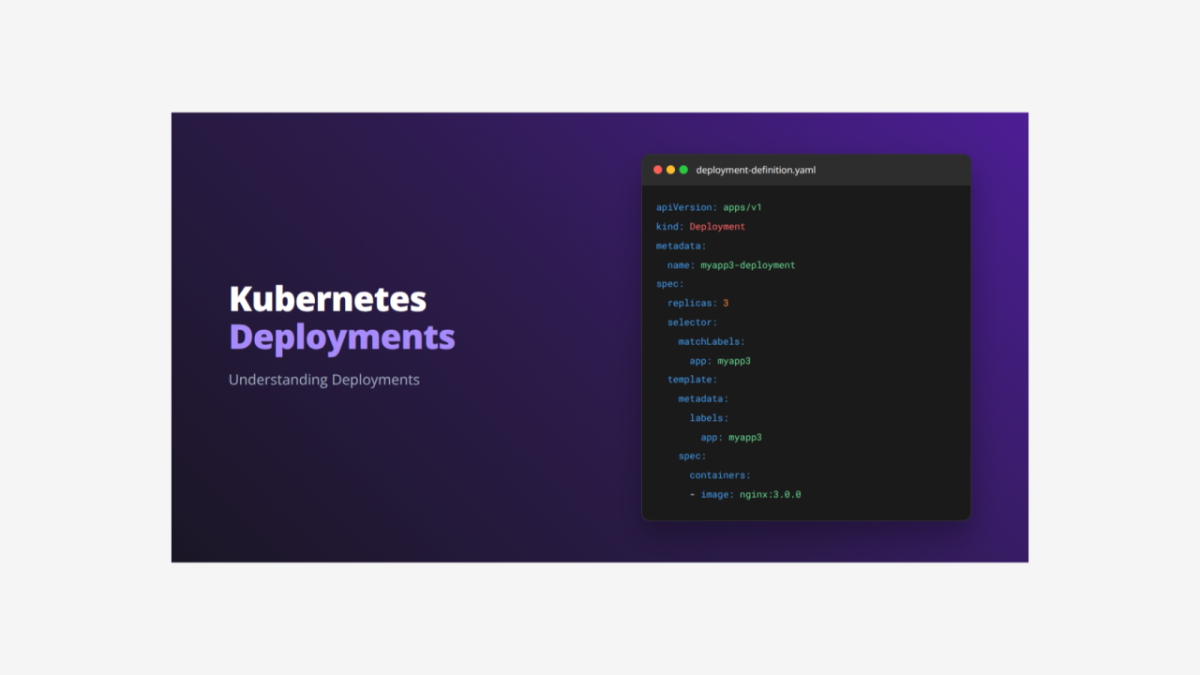
Today I want to share what I learned about Kubernetes Deployments and how they provide the best way to manage applications in production.
What is a Deployment?
A Deployment is the highest-level controller in Kubernetes that manages ReplicaSets and Pods. Think of it as an advanced manager that not only keeps your application running but also handles updates, rollbacks, and version management. While ReplicaSets ensure multiple Pod copies run, Deployments add intelligent update strategies and version history on top of that.
Complete Deployment Application YAML File
Here is the complete file that creates both a Deployment and Service together:
# Deployment Definition
apiVersion: apps/v1
kind: Deployment
metadata:
  name: myapp3-deployment
spec:
  replicas: 3
  selector:
    matchLabels:
      app: myapp3
  template:
    metadata:
      name: myapp3-pod
      labels:
        app: myapp3
    spec:
      containers:
      - name: myapp3-container
        image: nginx
        ports:
        - containerPort: 80

---

# Service Definition
apiVersion: v1
kind: Service
metadata:
  name: deployment-nodeport-service
spec:
  type: NodePort
  selector:
    app: myapp3
  ports:
  - name: http
    port: 80
    targetPort: 80
    nodePort: 31233
Breaking Down the Complete File
The Deployment Section – Detailed Explanation:
apiVersion: apps/v1           # Uses apps API group for Deployments
kind: Deployment             # Creates a Deployment controller
metadata:
  name: myapp3-deployment    # Name of the Deployment
spec:
  replicas: 3                # Desired number of Pod instances
  selector:                  # How Deployment finds its Pods
    matchLabels:
      app: myapp3            # Manages Pods with this label
  template:                  # Pod template for creating instances
    metadata:
      name: myapp3-pod       # Name pattern for Pods
      labels:
        app: myapp3          # Label applied to each Pod
    spec:                    # Pod specification
      containers:
      - name: myapp3-container        # Container name
        image: nginx  # Docker image version
        ports:
        - containerPort: 80           # Port the container listens on
What each part does:
- kind: Deployment – Creates the most advanced Kubernetes controller
- replicas: 3 – Maintains 3 Pod instances through a managed ReplicaSet
- selector.matchLabels – Links Deployment to Pods with label “app: myapp3”
- template – Blueprint for Pods that Deployment creates via ReplicaSet
- image: kubenginx:3.0.0 – Uses version 3.0.0 for this deployment
- Automatic ReplicaSet Management – Deployment creates and manages ReplicaSets automatically
The Service Section – Detailed Explanation:
apiVersion: v1                      # Uses core API for Services
kind: Service                       # Creates a Service resource
metadata:
  name: deployment-nodeport-service # Service name for reference
spec:
  type: NodePort                    # Makes service accessible externally
  selector:
    app: myapp3                     # Connects to Pods with this label
  ports:
  - name: http                      # Name for this port mapping
    port: 80                        # Port inside the cluster
    targetPort: 80                  # Port on the Pod containers
    nodePort: 31233                 # External port on nodes
Key differences from ReplicaSet Service:
- selector: app: myapp3 – Connects to all Pods managed by Deployment
- nodePort: 31233 – Different external port to avoid conflicts
- Works with Deployment-managed Pods – Service automatically adapts during updates
How They Work Together: The Deployment creates and manages ReplicaSets, which create Pods, while the Service provides stable access:
- Deployment creates a ReplicaSet to manage 3 Pods
- ReplicaSet ensures 3 Pods are always running
- Service distributes traffic among all healthy Pods
- During updates, Deployment creates new ReplicaSet gradually
- Service automatically includes new Pods and excludes old ones
- Zero-downtime updates happen automatically
Why Deployments Are Essential:
- Rolling Updates – Update applications without downtime
- Rollback Capability – Quickly revert to previous versions
- Version History – Track all deployment changes
- Update Strategies – Control how updates happen
- Production Ready – Industry standard for application management
How to Deploy and Manage This Application
Step 1: Deploy the Application
kubectl apply -f deployment-complete.yamlStep 2: Check Deployment Status
kubectl get deployments
kubectl get deployment myapp3-deployment
Step 3: See Detailed Deployment Information
kubectl describe deployment myapp3-deploymentStep 4: Check ReplicaSet Created by Deployment
kubectl get replicasets
kubectl get rs -l app=myapp3
Step 5: Check All Pods Created
kubectl get pods
kubectl get pods -l app=myapp3
Step 6: Check the Service
kubectl get services
kubectl describe service deployment-nodeport-service
Step 7: Update the Application (Rolling Update)
# Update to new image version
kubectl set image deployment/myapp3-deployment myapp3-container=stacksimplify/kubenginx:4.0.0

# Watch the rolling update happen
kubectl rollout status deployment/myapp3-deployment
Step 8: Check Rollout History
kubectl rollout history deployment/myapp3-deploymentStep 9: Rollback to Previous Version
# Rollback to previous version
kubectl rollout undo deployment/myapp3-deployment

# Rollback to specific revision
kubectl rollout undo deployment/myapp3-deployment --to-revision=1
Step 10: Scale the Deployment
# Scale up to 5 replicas
kubectl scale deployment myapp3-deployment --replicas=5

# Scale down to 2 replicas
kubectl scale deployment myapp3-deployment --replicas=2
Step 11: Access Your Application
# Get node IP
kubectl get nodes -o wide

# Access your app at: http://NODE_IP:31233
# Service works seamlessly during updates
Step 12: Monitor Deployment Events
kubectl get events --field-selector involvedObject.name=myapp3-deploymentStep 13: Clean Up Resources
kubectl delete -f deployment-complete.yaml
# This removes Deployment, ReplicaSet, Pods, and Service
Understanding Deployments is critical for junior DevOps engineers because:
- They are the standard way to run applications in production
- They provide zero-downtime updates and reliable rollbacks
- They demonstrate advanced Kubernetes concepts like controllers
- They show how to manage application lifecycle in real environments
- They are essential knowledge for any Kubernetes job interview